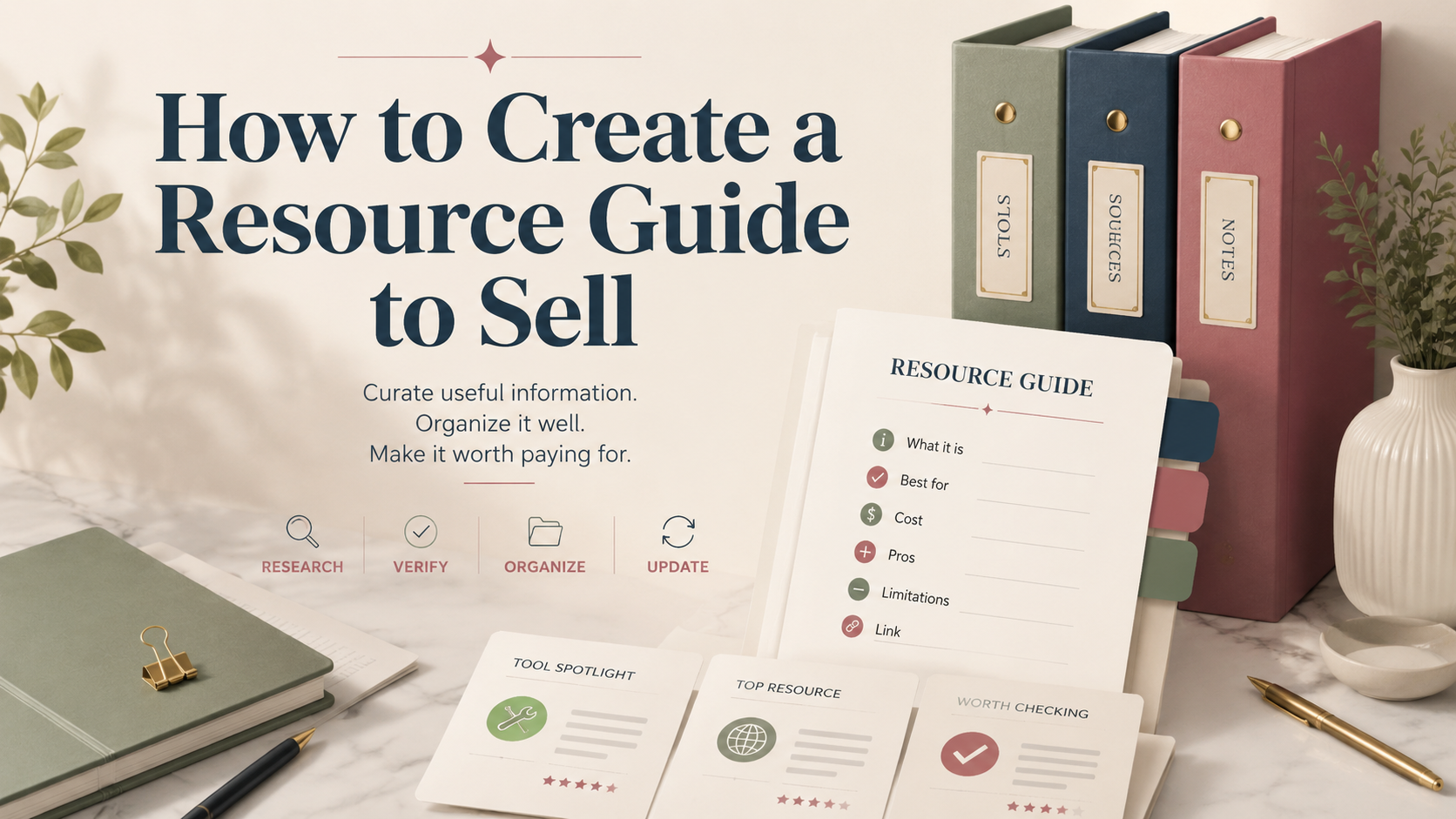
How to Create a Resource Guide to Sell
In this article
- Define the Audience, Problem, and Promise
- Plan a Resource Guide Buyers Will Actually Use
- Research, Verify, and Organize the Content
- Write and Design the Resource Guide
- Package the Guide as a Valuable Digital Product
- Price the Guide for Profit and Customer Value
- Build a Sales Page That Converts Interested Buyers
- Choose Channels for Selling Guides Online
- Promote the Resource Guide With a Repeatable Marketing Plan
- Measure Sales, Improve the Guide, and Grow the Business
- Conclusion
- FAQ
Turning your specialized knowledge into profitable digital products is a smart move for any entrepreneur. Many professionals possess deep industry insights that others desperately need to save time and avoid costly mistakes.
This article outlines a practical 32-step process for those wondering how to create a resource guide to sell effectively. We will walk through every phase, from identifying your target audience and selecting high-value content to setting the right price and launching your product.
Building a sustainable business requires more than just gathering information. It demands clear organization, a focus on buyer value, and a plan for long-term maintenance. By following this roadmap, you will transform your expertise into a valuable asset that helps your customers make better decisions while generating consistent revenue for your brand.
Key Takeaways
- Transform your unique industry expertise into a scalable digital product.
- Follow a structured 32-step roadmap for consistent project success.
- Prioritize audience research to ensure your content solves real problems.
- Focus on clear organization to maximize the perceived value for buyers.
- Implement a sustainable maintenance plan to keep your information current.
Define the Audience, Problem, and Promise
Building a profitable digital product begins long before you write a single word. To create a resource guide that actually sells, you must move away from general ideas and focus on a specific transformation. A clear understanding of your reader’s pain points is the secret to high conversion rates.
Step 1: Choose a Specific Buyer and Use Case
Identify the audience’s goals, skill level, budget, and buying motivation
Your guide should target a specific person, such as a freelance graphic designer or a small business owner. Consider their current skill level and what they are willing to spend to solve their immediate problems. When you understand their buying motivation, you can tailor your language to speak directly to their needs.
Choose a focused topic instead of creating a broad collection of links
Avoid the trap of compiling a massive, unorganized list of resources. A focused topic provides immediate value, whereas a broad collection often leaves the reader feeling overwhelmed. People pay for curation that saves them time and effort.
Step 2: Validate Demand Before Creating the Guide
Research search queries, online communities, competitor products, and customer questions
Before you invest time to create a resource guide, look for evidence that people are already searching for solutions. Check platforms like Reddit, Quora, or niche forums to see what questions your audience asks repeatedly. Analyzing competitor products helps you identify gaps in the market that you can fill.
Use surveys, interviews, or a small presale to test the idea
Direct feedback is the most reliable way to validate your concept. You might run a quick survey or conduct one-on-one interviews to confirm that your target audience is willing to pay for your solution. A small presale is an even stronger indicator of genuine market interest.
Step 3: Write a Clear Product Promise
Describe the practical result buyers can achieve with the resource guide
Your promise should be specific and measurable. Instead of saying your guide is “helpful,” explain that it helps users save ten hours per week or master a specific software tool. A strong promise gives the buyer a clear reason to click the purchase button.
Set realistic expectations about what the guide includes and does not include
Transparency builds trust with your customers. Clearly outline the scope of your work so buyers know exactly what they are getting. Managing expectations early prevents frustration and leads to better reviews.
| Feature | Broad Collection | Focused Resource Guide |
|---|---|---|
| Primary Goal | Information gathering | Problem solving |
| User Experience | Overwhelming | Actionable |
| Perceived Value | Low (Free-like) | High (Premium) |
| Conversion Rate | Low | High |
Plan a Resource Guide Buyers Will Actually Use
Effective guide creation tips focus on utility, ensuring every piece of information serves a specific purpose in the buyer’s journey. Instead of overwhelming your audience with a massive list of links, you should prioritize quality and actionable content. Your goal is to build a collection that transforms passive browsing into active problem-solving.
Step 4: Select the Right Resources for the Topic
Organize tools, websites, templates, examples, experts, and learning materials by purpose
Group your selected resources based on the specific problem they solve. When you categorize items by their function, you help the reader find exactly what they need without wasting time. Clarity is the ultimate form of value in a digital product. Several guides sold together will out-earn one on its own, and creating a digital product bundle covers pricing that.
Evaluate each resource for quality, relevance, accessibility, and long-term usefulness
Before including any link or tool, verify that it remains active and provides genuine value. Use the following criteria to ensure your guide maintains a high standard of excellence.
| Criteria | High Quality | Low Quality |
|---|---|---|
| Relevance | Directly solves a core pain point | Vague or general information |
| Accessibility | Easy to use without training | Requires complex setup |
| Longevity | Updated frequently by creators | Abandoned or outdated |
Step 5: Build a Practical Guide Structure
Create sections that follow the buyer’s workflow or decision-making process
Structure your guide to mirror the natural steps a user takes to reach their goal. By aligning the layout with their actual workflow, you reduce cognitive load and increase the likelihood of completion.
Map every resource to a specific problem, action, or desired outcome
Every entry in your guide should have a clear “why.” If a resource does not help the user complete a specific action or overcome a hurdle, it should not be included. This intentional mapping is one of the most important guide creation tips for maintaining product focus.
Step 6: Decide Which Supporting Materials to Include
Add checklists, worksheets, comparison tables, scripts, or quick-reference pages
Supporting materials turn a static list into an interactive experience. Checklists and worksheets are particularly effective because they provide immediate, tangible results for the buyer.
Choose file formats and delivery methods that work for the intended audience
Consider how your audience prefers to consume information. Whether you choose a searchable PDF, a Notion template, or a private web portal, the format must be easy to navigate and accessible on the devices your customers use most often.
Research, Verify, and Organize the Content
Building a high-quality resource guide requires a rigorous verification process to ensure your content remains useful and credible. This phase of step-by-step guide creation acts as a protective layer for your brand, ensuring that every recommendation you provide delivers real value to your customers.
Step 7: Gather Reliable Information
Use authoritative sources, firsthand testing, professional recommendations, and current data
To build trust, you must rely on verified facts rather than assumptions. Incorporate data from industry leaders, conduct your own firsthand testing, and include professional recommendations to strengthen your selections.
Record source details so buyers can verify important claims
Always keep a detailed log of where you found your information. When buyers can trace a claim back to an authoritative source, they feel more confident in their purchase.
“Quality is not an act, it is a habit.”
Step 8: Check Links, Permissions, and Potential Conflicts
Test every URL and replace broken, outdated, or inaccessible resources
Nothing ruins the user experience faster than a dead link. You must test every single URL in your guide to ensure it leads to active, relevant content before you finalize your step-by-step guide creation process.
Confirm licensing, attribution, affiliate disclosure, and permission requirements
Legal compliance is essential for any digital product. Verify that you have the right to share specific images or data, and always include clear affiliate disclosures if you earn a commission from your recommendations.
Step 9: Create a Consistent Organization System
Use labels, categories, tags, ratings, and short descriptions consistently
A disorganized guide is difficult to navigate and frustrating to use. Use a consistent system of labels, tags, and ratings so that your audience can quickly identify the resources that match their specific needs.
Make the guide easy to scan with a table of contents and clear navigation
Your final product should be intuitive and easy to scan. A well-structured table of contents and logical navigation are vital components of successful step-by-step guide creation, as they allow users to find answers in seconds rather than minutes.
Write and Design the Resource Guide
The secret to monetizing a resource guide lies in the value you add beyond the links themselves. Readers are not paying for a list of URLs; they are paying for your expert curation and the time you save them by filtering out the noise.
Step 10: Write Helpful Descriptions for Every Resource
Explain what each resource does, who it suits, and when to use it
Every entry in your guide should serve a clear purpose. Instead of generic summaries, define exactly what the tool or resource achieves, the specific audience it serves, and the ideal scenario for its application.
Replace vague praise with practical details, limitations, and selection advice
Avoid empty compliments. Provide actionable insights that help the buyer make an informed decision. If a tool has a steep learning curve or specific hardware requirements, be transparent about those limitations.
Step 11: Add Context That Saves Buyers Time
Include recommended workflows, decision criteria, examples, and next steps
Context is the bridge between information and transformation. By providing a recommended workflow, you show the buyer exactly how to integrate these resources into their daily routine.
Distinguish essential resources from optional upgrades or advanced choices
Not every resource carries the same weight. Use the following table to help your audience prioritize their investments effectively:
| Resource Type | Best For | Priority Level |
|---|---|---|
| Foundational Tools | Beginners | Essential |
| Advanced Software | Power Users | Optional |
| Quick Templates | Time-Savers | Recommended |
Step 12: Design for Readability and Professional Value
Use headings, white space, visual hierarchy, and consistent typography
A monetizing resource guide must look professional to command a premium price. Use clear headings and generous white space to prevent reader fatigue and guide the eye through your content.
Optimize the guide for mobile viewing, printing, accessibility, and digital search
Ensure your layout is responsive for mobile devices and easy to read when printed. By prioritizing accessibility and search-friendly formatting, you increase the long-term utility of your product, which is vital for successfully monetizing a resource guide.
Package the Guide as a Valuable Digital Product
Transforming raw data into a polished digital product is essential for building trust with your audience. When creating guide for profit, the way you package your information dictates the perceived value and usability of your work. A professional delivery system ensures that your customers feel supported from the moment they complete their purchase.
Step 13: Choose the Best Product Format
Compare a PDF, searchable database, spreadsheet, Notion template, or membership format
Selecting the right format depends on how your users interact with the data. A static PDF works well for simple lists, while a Notion template or searchable database offers dynamic interaction for complex resource collections.
| Format | Best Use Case | Update Ease |
|---|---|---|
| Static, long-form content | Low | |
| Notion/Database | Interactive, filterable lists | High |
| Spreadsheet | Data-heavy, sortable metrics | Medium |
Match the format to how often the information will change
If your content requires frequent updates, avoid static formats like PDFs. Instead, choose cloud-based platforms that allow you to push changes instantly. This approach ensures that your process of creating guide for profit remains sustainable over time.
Step 14: Create Different Product Tiers
Develop a core guide, expanded bundle, or premium version with useful extras
Offering multiple tiers allows you to serve different segments of your audience. A core guide provides the essential solution, while an expanded bundle might include templates or video tutorials that accelerate results for the user.
Make each tier meaningfully different instead of adding unnecessary bonuses
Avoid cluttering your tiers with random digital files that do not solve a specific problem. Every addition should provide tangible value that justifies the higher price point. Focus on depth rather than volume to maintain high customer satisfaction.
Step 15: Prepare the Files and Customer Experience
Use clear filenames, version dates, download instructions, and backup access
Professionalism starts with organized file management. Use consistent naming conventions like “Guide_v1.0_2023” so users can easily identify the latest version. Always provide a secondary backup link to ensure customers never lose access to their purchase.
Include a short getting-started page that helps buyers take immediate action
A simple “Start Here” document reduces friction and helps users achieve a quick win. This page should outline the primary goal of the guide and provide clear instructions on how to navigate the materials effectively.
Step 16: Protect and Maintain the Product
Set a schedule for link checks, content updates, and version releases
Digital products require ongoing care to remain relevant. Establish a quarterly schedule to verify that all external links function correctly and that your information remains accurate. This maintenance is a critical part of creating guide for profit successfully.
Explain how customers will receive updates after purchase
Transparency builds long-term loyalty. Clearly communicate your update policy on your sales page, explaining whether customers will receive email notifications or access to a private portal for new versions. When you keep your content fresh, you protect your reputation and encourage repeat business.
Price the Guide for Profit and Customer Value
When you start selling resource guides, your pricing strategy determines how quickly your business grows. Finding the right balance ensures you earn a fair profit while providing genuine value to your audience. A well-thought-out price reflects the hard work you put into your creation.
Step 17: Estimate the Guide’s Perceived and Practical Value
Consider the time, money, research, and mistakes the guide can help buyers avoid
Your price should reflect the tangible benefits your guide offers. Think about how many hours of research you saved your reader. If your guide helps a professional avoid a costly mistake, that is a significant financial win for them.
Compare the product with competing guides, consulting services, and free alternatives
Look at what else is available in your niche. If you are selling resource guides that replace expensive consulting sessions, your price can be higher. Always ensure your product offers a unique perspective that free content simply cannot match.
Step 18: Select a Pricing Model
Evaluate one-time pricing, bundles, subscriptions, licensing, and team access
Different models serve different customer needs. A one-time purchase is simple, but a subscription model might be better if you provide ongoing updates. Consider offering team licenses if your content is valuable for small businesses or agencies.
Choose a price that supports updates, customer service, platform fees, and profit
Remember that your price must cover more than just the initial creation. You need to account for hosting fees, payment processing, and the time spent answering customer questions. A sustainable price allows you to keep the guide updated and relevant over time.
| Pricing Model | Best For | Revenue Potential |
|---|---|---|
| One-time Purchase | Standard Guides | Moderate |
| Bundles | Upselling Content | High |
| Subscription | Ongoing Updates | Recurring |
| Team Licensing | B2B Sales | High |
Step 19: Test and Improve the Price
Use early-buyer feedback, presales, limited offers, or controlled price changes
You do not have to set your price in stone on day one. Use presales to gauge interest or offer a special rate to your first few customers. This feedback loop helps you understand if your pricing aligns with the perceived value.
Avoid relying on permanent discounts that weaken the product’s perceived value
Avoid the trap of constant sales when selling resource guides. Permanent discounts can make your work seem less valuable to potential buyers. Instead, focus on controlled price increases as you add more content or improve the overall quality of your digital product.
Build a Sales Page That Converts Interested Buyers
Your sales page serves as the final bridge between a curious visitor and a loyal customer. Mastering effective guide selling techniques ensures that your digital product feels tangible and valuable to every potential buyer who lands on your site.
Step 20: Lead With the Buyer’s Desired Outcome
Write a headline and subheadline that clearly communicate the guide’s benefit
Your headline must immediately grab attention by focusing on the transformation your guide provides. Avoid generic titles; instead, highlight the specific result the reader will achieve after using your resource.
Show how the product solves a specific frustration or reduces decision fatigue
Buyers often feel overwhelmed by too many choices. Use your copy to explain how your guide acts as a filter, saving them time and mental energy. Focusing on the relief of solving a problem is one of the most powerful guide selling techniques available.
Step 21: Explain What the Buyer Receives
List the guide’s sections, resources, formats, updates, and included bonuses
Transparency builds trust. Clearly outline exactly what is inside the package so the buyer knows what to expect before they click the purchase button.
- Core Modules: Detailed chapters covering the primary topic.
- Resource Library: Curated links and tools for immediate application.
- Bonus Content: Templates or checklists included to add extra value.
- Lifetime Updates: Assurance that the material stays current.
Use screenshots, sample pages, previews, or short demonstrations to make the product tangible
Since digital products are intangible, you must provide visual proof of quality. Use high-quality screenshots or a short video walkthrough to show the layout and depth of your work.
“The best way to sell a digital guide is to show the reader exactly how it looks and feels before they spend a single dollar.”
Step 22: Reduce Purchase Hesitation
Address who the guide is for, who it is not for, and what knowledge it requires
Be honest about the ideal user profile to ensure you attract the right audience. This clarity prevents future refund requests and builds long-term brand authority.
| Target Audience | Prerequisites | Not Recommended For |
|---|---|---|
| Beginners seeking structure | Basic computer literacy | Advanced industry experts |
| Small business owners | Access to standard software | Those seeking free content |
Include testimonials, proof of research, refund terms, and answers to common objections without creating an FAQ section
Integrate social proof naturally into your narrative to validate your expertise. Mention your research process or cite the data sources used to build the guide. Finally, clearly state your refund policy to remove the final barrier to purchase, ensuring the buyer feels safe and confident in their decision.
Choose Channels for Selling Guides Online
Choosing the right platform determines how easily you can start selling guides online. You need a system that balances ease of use with the features required to scale your business effectively.
Step 23: Select a Selling Platform
Compare Shopify, Gumroad, Podia, Payhip, and Etsy for fees, delivery, branding, and control
Each platform offers different levels of customization and cost. While some prioritize simplicity, others provide deep control over your brand identity.
| Platform | Best For | Control | Fees |
|---|---|---|---|
| Shopify | Full Stores | High | Monthly + Transaction |
| Gumroad | Quick Sales | Medium | Percentage-based |
| Podia | Courses/Guides | High | Subscription |
| Payhip | Simple Downloads | Medium | Low/Free Tier |
| Etsy | Marketplace Reach | Low | Listing + Transaction |
Check payment processing, sales tax handling, file security, and customer data access
When selling guides online, you must ensure the platform handles complex tasks like automated sales tax calculation for United States customers. Always verify that your chosen tool secures your files against unauthorized sharing and provides you with direct access to your customer email list.
Step 24: Set Up the Purchase and Delivery Process
Connect checkout, payment confirmation, automated delivery, and customer support
A smooth customer journey is vital for high conversion rates. Your checkout should be fast and secure, providing immediate payment confirmation and an automated email containing the download link.
Test the complete buying experience on desktop and mobile before launch
Never skip the testing phase. Perform a test purchase on both mobile and desktop devices to ensure the file delivery works perfectly and the support links are active.
Step 25: Create an Email List and Owned Audience
Offer a relevant free checklist, sample, or mini-guide to attract qualified subscribers
Building an audience is essential for long-term success when selling guides online. By offering a valuable freebie, you capture leads who are genuinely interested in your expertise.
Use educational emails to build trust before presenting the paid resource guide
Once a subscriber joins your list, send a sequence of helpful emails. This strategy builds authority and trust, making it much easier to convert those subscribers into paying customers later.
Promote the Resource Guide With a Repeatable Marketing Plan
Building a repeatable system is the secret to consistent sales for your resource guide. By implementing effective resource guide marketing strategies, you can transform your expertise into a reliable income stream that grows over time.
Step 26: Use Content Marketing to Demonstrate Expertise
Create blog posts, videos, social posts, and newsletters based on buyer problems
Focus your content on the specific pain points your audience faces daily. When you provide free, actionable advice, you build trust and establish yourself as a credible authority in your niche.
Share useful examples while reserving the complete system for paying customers
Offer small, high-value snippets that solve one specific problem. Always keep the comprehensive, step-by-step system exclusive to those who purchase your guide.
Step 27: Apply Search and Social Promotion
Target phrases such as “create resource guide,” “selling resource guides,” and “selling guides online”
Optimize your website and social captions to capture high-intent traffic. Using these specific keywords helps potential buyers find your solutions when they search for help with resource guide marketing strategies.
Adapt promotional content for Pinterest, Instagram, LinkedIn, YouTube, or TikTok based on audience behavior
Do not try to be everywhere at once. Choose platforms where your target audience spends their time and tailor your message to fit the unique culture of each site.
Step 28: Use Partnerships and Affiliate Promotion
Collaborate with educators, creators, communities, and complementary businesses
Reach new audiences by partnering with others who serve your ideal customer. These relationships often provide the most authentic form of social proof for your product.
Provide affiliates with accurate messaging, tracking links, creative assets, and clear commission terms
Make it incredibly easy for your partners to promote you. When you provide high-quality banners, email templates, and clear instructions, your affiliates are much more likely to succeed.
Step 29: Plan a Launch and Evergreen Promotion Cycle
Combine presale content, launch announcements, testimonials, and limited-time incentives
Create a sense of urgency during your initial launch phase. Use early-bird pricing or exclusive bonuses to reward your most loyal followers for acting quickly.
Refresh evergreen promotions when the guide receives important updates or new proof
Keep your sales funnel fresh by updating your marketing materials whenever you add new content or gather fresh testimonials. A well-maintained promotion cycle ensures your guide remains relevant and valuable to new buyers indefinitely.
Measure Sales, Improve the Guide, and Grow the Business
Building a sustainable business requires more than just launching a product; it demands a commitment to constant refinement. Once your resource guide is live, you must shift your focus toward data-driven decision-making to ensure long-term success.
Step 30: Track the Metrics That Explain Performance
Monitor traffic sources, landing-page conversion rate, sales, refunds, and email engagement
You should start by identifying where your visitors originate, whether from social media, search engines, or email newsletters. A high conversion rate on your landing page indicates that your messaging resonates with your target audience. Conversely, tracking refunds and email engagement helps you spot potential issues with your product’s perceived value or your marketing tone.
Compare customer acquisition costs with revenue and profit per sale
Understanding your financial health is vital for scaling. By comparing your customer acquisition costs (CAC) against your net profit per sale, you can determine if your current marketing spend is truly sustainable. This financial clarity allows you to double down on profitable channels while cutting those that drain your resources.
| Metric | Primary Goal | Actionable Insight |
|---|---|---|
| Conversion Rate | Optimize Sales | Adjust copy or design |
| Refund Rate | Improve Quality | Address content gaps |
| CAC | Control Costs | Refine ad targeting |
| Email Open Rate | Build Loyalty | Improve subject lines |
Step 31: Turn Customer Feedback Into Product Improvements
Review support requests, product reviews, survey responses, and refund reasons
Your customers are the best source of information regarding your guide’s effectiveness. Pay close attention to recurring themes in support tickets or negative reviews, as these often highlight hidden friction points. Surveys can also provide qualitative data that numbers alone cannot capture.
Prioritize changes that improve usability, accuracy, and buyer outcomes
Not every piece of feedback requires an immediate update. Focus your energy on changes that directly improve the user experience or the accuracy of your resources. By prioritizing high-impact updates, you ensure that your guide remains a premium asset that delivers real results for your buyers.
Step 32: Expand the Product Line Carefully
Create related guides, templates, workshops, or memberships only when demand supports them
Resist the urge to expand your catalog until you have a track record with your initial offer. When your audience consistently asks for more advanced material, consider creating workshops or templates that solve secondary problems. This organic growth strategy ensures that you only build what your market is ready to purchase.
Bundle complementary products and offer upgrades without confusing the core offer
Bundling is an excellent way to increase your average order value without creating new content from scratch. You might offer a “pro” version of your guide that includes extra templates or a video walkthrough. Always keep your core offer simple to avoid decision paralysis for new visitors.
Conclusion
Creating a profitable resource guide requires a clear path from identifying a specific audience to achieving measurable business growth. This 32-step framework transforms your expertise into a tangible asset that solves real problems for your buyers.
Success relies on providing verified information, useful context, and accessible formatting. When you deliver a clear customer outcome, you build trust that lasts beyond the initial sale. Choose a product format that fits your content, set a price based on value, and promote your work through channels where your audience spends their time.
Your journey does not stop once the guide goes live. Maintain your product by keeping links current and information accurate. Use steady customer feedback to refine your offerings and expand your product line over time.
Treat your resource guide as a living project. Consistent updates and a focus on user needs create the foundation for long-term digital product success. Start your project today and watch your business grow through the value you provide to others.
FAQ
What is the first step in step-by-step guide creation for a digital product?
How can I validate demand before I start selling resource guides?
What are the best formats for someone learning how to create a resource guide to sell?
What are the most effective guide creation tips for making a product look professional?
What strategies do you recommend for monetizing a resource guide beyond the initial sale?
Which platforms are best for selling guides online to a United States audience?
What are some essential resource guide marketing strategies for new authors?
Can you share some advanced guide selling techniques to improve conversion rates?
How do I maintain my product once I have finished the initial guide creation process?
Keep reading on WAHMN
More articles in this category, browse the full article library, or explore our business tools and learning paths.
Guides sell best to people who already trust you. Email Marketing System covers building that list, and Business Launcher covers pricing and launching the guide itself.