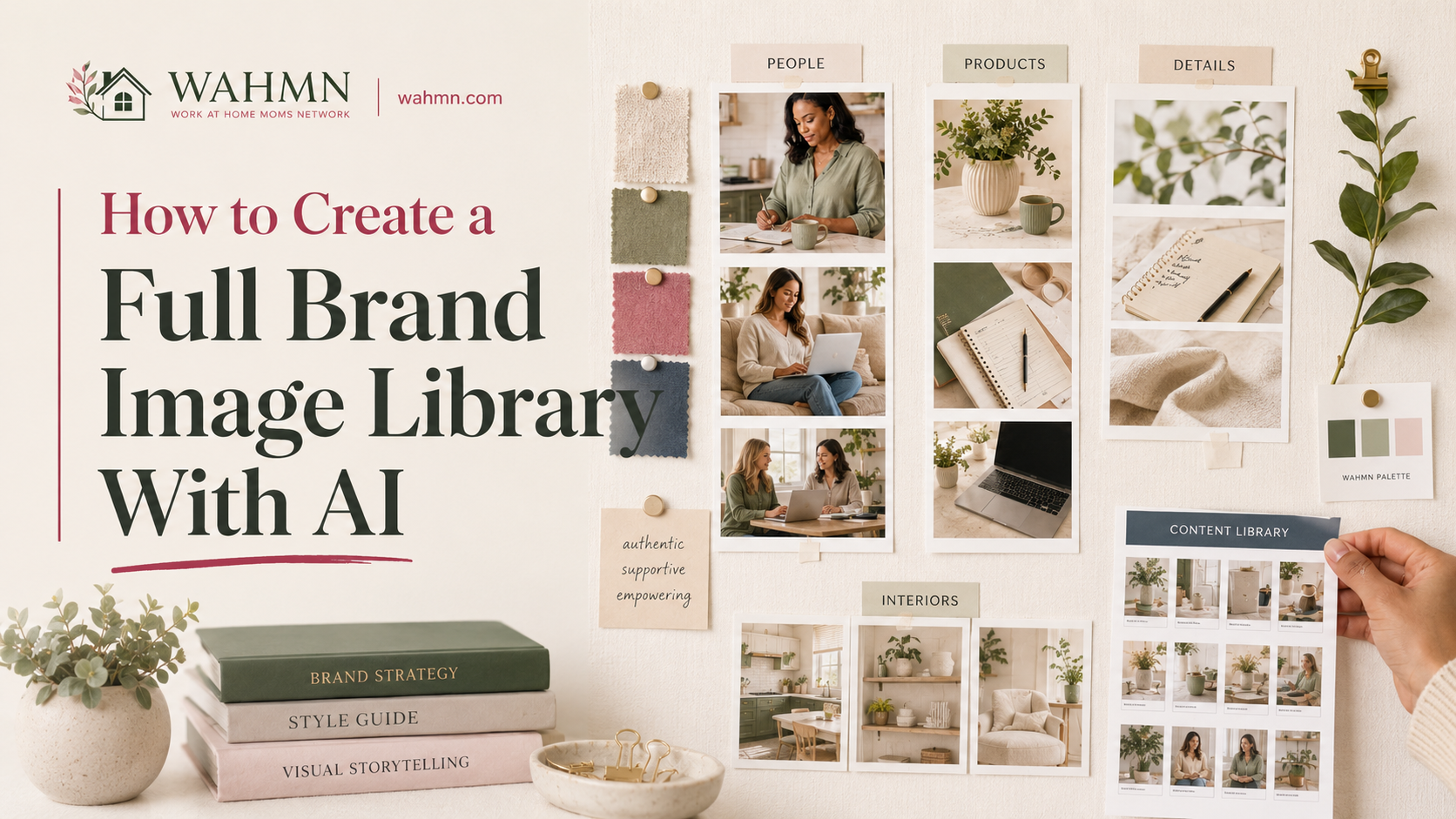
How to Create a Full Brand Image Library With AI
In this article
- Introduction
- Gather the source material before prompting
- Choose the smallest workable production stack
- Build the creative brief
- Production workflow
- How to get better output from AI
- Quality-control checklist
- Rights, disclosure and ethical boundaries
- How to organize and reuse the work
- Measure whether the output is actually useful
- Common mistakes
- FAQ
Many companies start by creating single, isolated pictures to fill a social media post. However, true professional success requires building a dependable AI brand image library that functions as a cohesive system. This approach ensures your marketing channels remain consistent and recognizable to your audience.
Moving beyond random snapshots allows you to develop high-quality AI-generated brand visuals that tell a unified story. When every asset aligns with your core identity, your campaigns gain immediate authority and trust.
In this guide, we walk you through a comprehensive 13-step process to organize your assets. We cover everything from gathering source material to verifying that your finished brand image library provides genuine value for your team. By following these steps, you will transform how your business handles digital assets forever.
Key Takeaways
- Shift from creating individual assets to building a scalable visual system.
- Maintain consistency across all marketing channels to strengthen recognition.
- Use a structured 13-step workflow to organize your digital assets effectively.
- Prioritize source material quality to ensure professional output.
- Measure the utility of your collection to guarantee long-term success.
Introduction
Understanding the gap between a raw AI output and a professional marketing asset is the first step to success. Many creators assume that a single click produces a finished file ready for a website or social media campaign. However, there is a significant difference between a raw, generated image and a truly usable asset.
If you are building an AI brand image library for beginners, it helps to view the AI as a sketch artist rather than a final designer. A generated image is often just an isolated output that lacks the specific context your business requires. To turn these raw files into professional tools, you must refine them to meet your specific standards.
To create usable AI brand images, you need to ensure every file aligns with your company’s unique requirements. This process involves more than just aesthetics; it requires careful attention to technical and legal details. Consider the following checklist to distinguish between a draft and a final asset:
- Dimensions and Aspect Ratio: Does the image fit your specific marketing channels, such as Instagram stories or website banners?
- Brand Standards: Does the color palette and lighting match your existing style guide?
- Campaign Goals: Does the visual clearly communicate the message you want to send to your audience?
- Legal Requirements: Have you verified the licensing and ethical boundaries of the generated content?
The ultimate goal of this project is to maintain on-brand visual content across every platform you use. By moving beyond the initial generation phase, you transform simple pixels into a cohesive library that supports your marketing strategy. Consistency is what separates a collection of random images from a powerful, professional brand asset.
Gather the source material before prompting
Building a successful AI brand image library for beginners starts long before you open an image generator. If you want your AI to produce work that feels authentic, you must feed it the right information. Think of this process as training a new designer who needs to understand your company culture from day one.
To build an AI brand image library step by step, you should start by gathering your existing visual assets. Collect your high-resolution logos, specific color hex codes, and typography files. These elements act as the guardrails that keep your AI output from drifting into generic territory. Once the library exists, the daily job is turning it into posts, which is what batch-creating social media graphics with AI covers. Product shots follow the same method with a few extra steps, set out in creating product mockups with AI.
Next, compile your brand guidelines for AI to ensure consistency across all platforms. Include product photographs, packaging designs, and examples of past successful campaigns. When the model understands your visual history, it can replicate your unique style with much higher accuracy.
“Consistency is the secret ingredient to brand recognition; without it, your visual identity becomes nothing more than noise in a crowded market.”
Finally, define your target audience clearly so the AI knows who it is speaking to. By organizing these visual brand assets into a single folder, you create a reliable reference point for every prompt you write. Use the table below to organize your collection process effectively.
| Asset Category | Purpose | AI Application |
|---|---|---|
| Brand Identity | Logos & Colors | Maintaining visual consistency |
| Product Assets | Photos & Packaging | Ensuring product accuracy |
| Style References | Past Campaigns | Defining tone and mood |
| Audience Data | Demographics | Tailoring visual messaging |
Choose the smallest workable production stack
Building a professional brand library does not require a massive budget or complex software. Many creators fall into the trap of buying expensive subscriptions before they understand their actual needs. By focusing on AI brand image library startup costs early, you can avoid unnecessary financial bloat.
When evaluating AI brand image library pricing, look for platforms that offer clear commercial rights and scalable usage limits. You should prioritize tools that allow you to grow your library without forcing you into enterprise-level tiers immediately. Keeping your stack lean ensures that your budget remains focused on high-quality output rather than unused features.
Selecting the right AI brand image library tools requires a balance between power and simplicity. You need a reliable generator, a way to store your assets, and a basic editor for final touches. This core setup provides the foundation for consistent visuals across all your marketing campaigns.
Most professionals find that a combination of specialized AI image generation tools and cloud storage is sufficient for most projects. You can often skip expensive automation suites until your volume of work justifies the extra expense. Focus on platforms that offer high-resolution upscaling and easy organization as your primary requirements.
Finally, integrate your AI design software into a simple review process to maintain brand standards. Using a streamlined stack helps you stay agile while keeping your creative workflow organized. The following table outlines the essential components of a cost-effective production stack.
| Component | Essential Feature | Optional Add-on |
|---|---|---|
| Generation | High-quality model access | API/Automation |
| Editing | Basic layer adjustment | Advanced AI retouching |
| Storage | Cloud organization | Version history |
| Rights | Commercial license | Exclusive ownership |
Build the creative brief
A well-crafted AI creative brief acts as the blueprint for your entire visual identity. By documenting your requirements early, you ensure that every asset aligns with your core brand visual direction. This proactive approach prevents the common trap of generating random, unusable images that fail to serve your business goals.
Investing time in a detailed brief is the most effective way to manage your AI brand image library startup costs. When you provide clear instructions, you drastically reduce the number of discarded generations and unnecessary revisions. This efficiency allows you to focus your budget on high-quality output rather than wasted experimentation.
Your brief should function as a comprehensive guide for every visual asset you produce. Consider including the following elements to maintain consistency across your AI brand image library:
- Target Audience: Define who the images are meant to reach.
- Message and Mood: Describe the emotional tone and core narrative.
- Composition and Subject: Specify framing, focal points, and subject matter.
- Setting and Color Treatment: Outline environmental details and your specific color palette.
- Exclusions: List elements or styles that do not fit your brand.
- Formats and Channels: Detail the technical specs and intended platforms.
Clear documentation protects your AI brand image library startup costs by streamlining the production process. When your team understands the specific campaign image requirements, they can iterate faster and with greater precision. This clarity ensures that your final collection feels like a unified brand asset rather than a scattered folder of unrelated pictures.
| Strategy Component | Impact on Efficiency | Cost Benefit |
|---|---|---|
| Defined Visual Direction | Reduces trial and error | Lower compute fees |
| Strict Exclusions | Prevents off-brand output | Saves editing time |
| Specific Channel Specs | Ensures immediate usability | Eliminates re-formatting |
Ultimately, a strong AI creative brief bridges the gap between abstract strategy and tangible results. By aligning your brand visual direction with your campaign image requirements, you build a robust AI brand image library that grows with your company. Consistency is the key to building trust with your audience over time.
Production workflow
Mastering your AI image production workflow is the secret to scaling high-quality visual assets. By establishing a repeatable system, you ensure that every asset aligns with your core visual identity. This structure removes the guesswork from creative tasks and allows your team to focus on strategy rather than repetitive technical adjustments.
To build an AI brand image library step by step, you must begin with clear reference selection. Start by gathering mood boards and existing brand assets to inform your prompt drafting. Once your prompts are refined, move into the generation phase, where you can test different parameters to see what yields the best results for your specific brand voice.
Efficiency increases significantly when you utilize batch image generation. Instead of creating one image at a time, generate sets of variations to identify the most promising directions. Controlled variations allow you to keep the subject consistent while testing different lighting, angles, or background environments. This method ensures you have a diverse yet cohesive set of assets ready for final curation.
Selecting the right AI brand image library tools is essential for maintaining a smooth pipeline. Tools like Midjourney for generation, combined with Adobe Firefly for generative fill or Canva for final layout, create a powerful stack. You should track every version carefully, ensuring that you save both the original prompt and the final output for future reference.
Finally, focus on channel-specific crops and organized naming conventions. Whether you are preparing assets for social media, email headers, or website banners, your library should be ready for immediate use. A well-organized AI brand image library acts as a living asset that grows alongside your brand, providing value for every future marketing campaign.
| Workflow Stage | Primary Action | Key Objective |
|---|---|---|
| Preparation | Reference gathering | Define visual style |
| Generation | Batch processing | Create multiple variations |
| Curation | Selection & Editing | Ensure brand alignment |
| Finalization | Naming & Export | Prepare for distribution |
How to get better output from AI
Achieving high-quality results in your AI brand image library step by step depends on how you structure your instructions. Rather than hoping for a lucky result, you should treat every generation as a data point. By isolating specific variables, you gain the control needed to produce professional assets.
Effective AI prompting for brand images relies on a clear, modular structure. Start by defining your subject clearly, then layer in camera language, such as “85mm lens” or “shallow depth of field,” to mimic professional photography. Always include composition controls like “rule of thirds” or “centered symmetry” to ensure the output fits your layout needs.
Refining your image-generation prompts is an iterative process that requires patience. You should change only one variable at a time, such as the lighting or the background, to see how it impacts the final look. This method makes it much easier to evaluate what works and what needs adjustment.
“The secret to great AI output is not in the complexity of the prompt, but in the clarity of the intent behind it.”
To maintain reference images, use tools that allow you to upload a base style or character sheet. This helps the model understand the specific visual motifs you want to repeat across different scenes. Without these anchors, the AI will drift, leading to a disjointed library that lacks a cohesive brand identity.
When you need to create consistent AI characters, focus on specific, unchanging physical traits in your descriptions. Use negative instructions to strip away unwanted elements, such as “distorted hands” or “cluttered background,” to keep the focus on your subject. While perfect consistency is rare, these steps will help you maintain a recognizable look for your recurring products and people.
- Subject: Be specific about the person, product, or environment.
- Camera: Use technical terms to define the perspective and focus.
- Composition: Direct the AI on where to place the subject in the frame.
- Negative Prompts: Explicitly state what you do not want to see.
Quality-control checklist
Avoiding common AI brand image library mistakes starts with a strict review process. While generative tools are powerful, they often produce errors that can damage your professional reputation. Implementing a rigorous AI image quality control system ensures that every asset meets your high standards before it reaches the public.
Use this brand consistency checklist to evaluate every image generated for your library. By checking these specific areas, you turn raw output into reliable marketing assets:
- Anatomy and Text: Check for distorted limbs or nonsensical text, which are common AI glitches.
- Logos and Products: Verify that your brand logo appears correctly and that product details match your actual inventory.
- Color and Lighting: Ensure the color palette aligns with your brand guidelines and lighting remains consistent across the set.
- Backgrounds and Cropping: Look for accidental artifacts or awkward framing that might distract your audience.
- Resolution: Confirm the file size and pixel density meet your platform requirements for crisp display.
Do not overlook image accessibility during your review. Ensure that your visuals include descriptive alt-text and maintain high contrast ratios for users with visual impairments. Accessibility is not just a technical requirement; it is a core part of a responsible brand identity.
Finally, perform a comprehensive visual asset review to confirm the image aligns with your original creative brief. If an image looks beautiful but fails to communicate your brand message, it is not a success. Dependable, on-brand visuals are the ultimate goal of your production workflow, not just the novelty of the generation itself.
Rights, disclosure and ethical boundaries
Building a brand library with AI tools demands more than just technical skill; it requires a deep understanding of ethics. As you integrate these technologies, you must prioritize AI image copyright compliance to protect your organization from potential legal disputes.
Always review the specific terms of service for every tool in your stack. Verify that the platform grants explicit rights for the commercial use of AI images, as many free versions restrict business applications. Check their training policies to ensure your proprietary data remains secure and is not being used to train public models.
“The future of creativity lies in the partnership between human intent and machine efficiency, provided we maintain transparency at every step.”
Transparency is the cornerstone of ethical AI marketing. Implementing clear AI disclosure practices helps maintain trust with your audience. If an image is generated or significantly altered by software, labeling it appropriately is a best practice that aligns with evolving industry standards.
When your assets feature people, you must address model releases and likeness concerns. Even if a person is AI-generated, using a likeness that mimics a real individual can lead to significant legal risks. Always document your prompts, source references, and the extent of human involvement in the editing process to create a clear audit trail.
Because laws regarding synthetic media are changing rapidly in the United States, treat general advice as a starting point rather than a final verdict. For high-risk campaigns, consult with legal counsel to ensure your workflow meets all current regulatory requirements. Proactive documentation is your best defense in an increasingly complex digital landscape.
How to organize and reuse the work
Organizing your creative output effectively turns a chaotic folder of images into a powerful, reusable brand asset. Without a clear system, even the most stunning visuals can become lost in your digital workspace. By implementing a structured approach, you ensure that your team can find exactly what they need in seconds.
Effective digital asset management starts with a consistent filing structure. You should categorize your files by campaign, subject, and marketing channel to maintain clarity. This method prevents duplication and helps your designers locate the right files for future projects without starting from scratch.
Standardizing your AI asset naming conventions is equally vital for long-term success. A clear filename should include the date, campaign name, aspect ratio, and a brief description of the subject. This simple habit makes your AI brand image library searchable and professional.
“The true value of a creative library is not in the number of files you have, but in how easily your team can retrieve and repurpose them for new goals.”
To keep your campaign image library healthy, you must track metadata and version history. Recording the original source prompts allows you to recreate or iterate on successful styles later. Always include status tags like “approved,” “draft,” or “expired” to keep your workflow clean and compliant.
The following table outlines the essential attributes you should track for every asset to ensure maximum utility across your marketing channels.
| Attribute | Purpose | Example |
|---|---|---|
| Campaign ID | Links assets to specific goals | Summer_Sale_2024 |
| Aspect Ratio | Ensures platform compatibility | 9:16 (Social Stories) |
| Rights Status | Tracks usage permissions | Cleared for Web/Print |
| Expiration Date | Prevents outdated content use | December 31, 2024 |
By maintaining this level of detail, you transform your collection into a scalable resource. Consistency in your organizational habits will save your team countless hours of manual searching. Start building your library today to support your future marketing campaigns with ease.
Measure whether the output is actually useful
Beyond the novelty of generation, your AI brand image library must prove its worth through hard data. It is easy to get distracted by the sheer volume of images you can create in a single afternoon. However, true success is defined by how well these assets help your team publish consistent, on-brand visuals across every campaign.
To understand if your system is working, you must track specific creative production metrics. Start by monitoring your approval rate and the time spent on revisions. If your team spends less time tweaking AI outputs compared to traditional stock photography, you are already seeing a major efficiency gain.
Another vital indicator is your asset utilization rate. This metric reveals how often your team actually pulls images from the library for live projects. If you have thousands of files sitting idle, your library is not serving its purpose. High utilization suggests that your AI-generated content aligns perfectly with your brand guidelines and marketing needs.
When evaluating your AI brand image library pricing, look past the subscription costs. Instead, focus on the AI image library ROI by calculating the production cost per approved asset. This approach shifts the conversation from simple generation volume to the actual business value delivered to your stakeholders.
| Metric | Goal | Business Impact |
|---|---|---|
| Approval Rate | Increase by 20% | Faster time-to-market |
| Revision Time | Decrease by 30% | Lower labor costs |
| Asset Utilization | Maximize usage | Higher content ROI |
| Campaign Coverage | Full alignment | Stronger brand identity |
Finally, do not overlook team satisfaction. If your designers feel empowered rather than frustrated by the tools, your creative workflow will naturally improve. Use these insights to refine your prompts and ensure your library remains a high-value asset for years to come.
Common mistakes
Building a professional brand library is a journey, but many creators stumble on the same avoidable traps. When you rush the process, you often fall into AI brand image library mistakes that compromise your long-term creative goals. Taking the time to plan your workflow is the best way to ensure your assets remain valuable for years.
One of the most frequent AI image generation mistakes involves skipping the collection of source material. Without a clear reference point, your output will lack the specific style or color palette required for your brand. You should always gather high-quality assets before you start prompting to keep your results grounded in reality.
Relying on a poor prompt strategy is another way to derail your progress. If you fail to build a detailed creative brief, the AI will produce generic content that misses your brand identity. This lack of direction often leads to inconsistent brand visuals that look like they belong to five different companies rather than one.
Many users make the mistake of accepting the very first result the AI provides. You must treat AI output as a draft that requires human review and refinement. Failing to audit your images for technical specifications often results in unusable marketing images that cannot be resized or cropped for social media campaigns.
To keep your library healthy, consider these corrective habits:
- Batch testing: Run multiple variations of a prompt to find the most consistent style.
- Controlled references: Use specific style guides to keep the AI on track.
- Clear naming: Organize files with descriptive tags to make them easy to find later.
- Regular audits: Review your library every quarter to remove outdated or low-quality assets.
Finally, never ignore the legal side of your work. Failing to document rights and usage permissions can lead to significant headaches down the road. By staying organized and maintaining a critical eye, you can build a library that truly supports your brand’s growth.
Building an AI brand image library for beginners starts with selecting the right software. Tools like Midjourney, Adobe Firefly, and DALL-E 3 serve as excellent starting points for most creative teams. These platforms offer different subscription tiers, often ranging from twenty to fifty dollars per month depending on your usage needs.
Many users ask about commercial rights for their generated assets. Most major platforms grant you ownership of the images you create, but you should always check the specific terms of service for your chosen tool. You must ensure your legal team reviews these assets before they appear in public marketing campaigns.
Maintaining brand consistency requires a human touch. Your designers should review every output to ensure it matches your specific color palettes and visual style. This process turns raw AI output into a professional asset.
These AI image library FAQs highlight the importance of strategy over speed. A successful AI brand image library is organized, approved, and ready for real marketing work. It is not just a folder full of random files. Focus on building a collection that serves your brand goals today and in the future.
FAQ
What are the essential AI brand image library tools for beginners starting today?
How much should I budget for AI brand image library startup costs?
Can you explain the AI brand image library step by step process for maintaining visual consistency?
What are the most frequent AI brand image library mistakes that lead to wasted budget?
Are images created for an AI brand image library legally protected in the United States?
When should a human designer intervene in the AI brand image library workflow?
Keep reading on WAHMN
More articles in this category, browse the full article library, or explore our business tools and learning paths.
AI Advantage Blueprint helps you develop a reusable brand guide and organize finished AI assets for your brand image library.