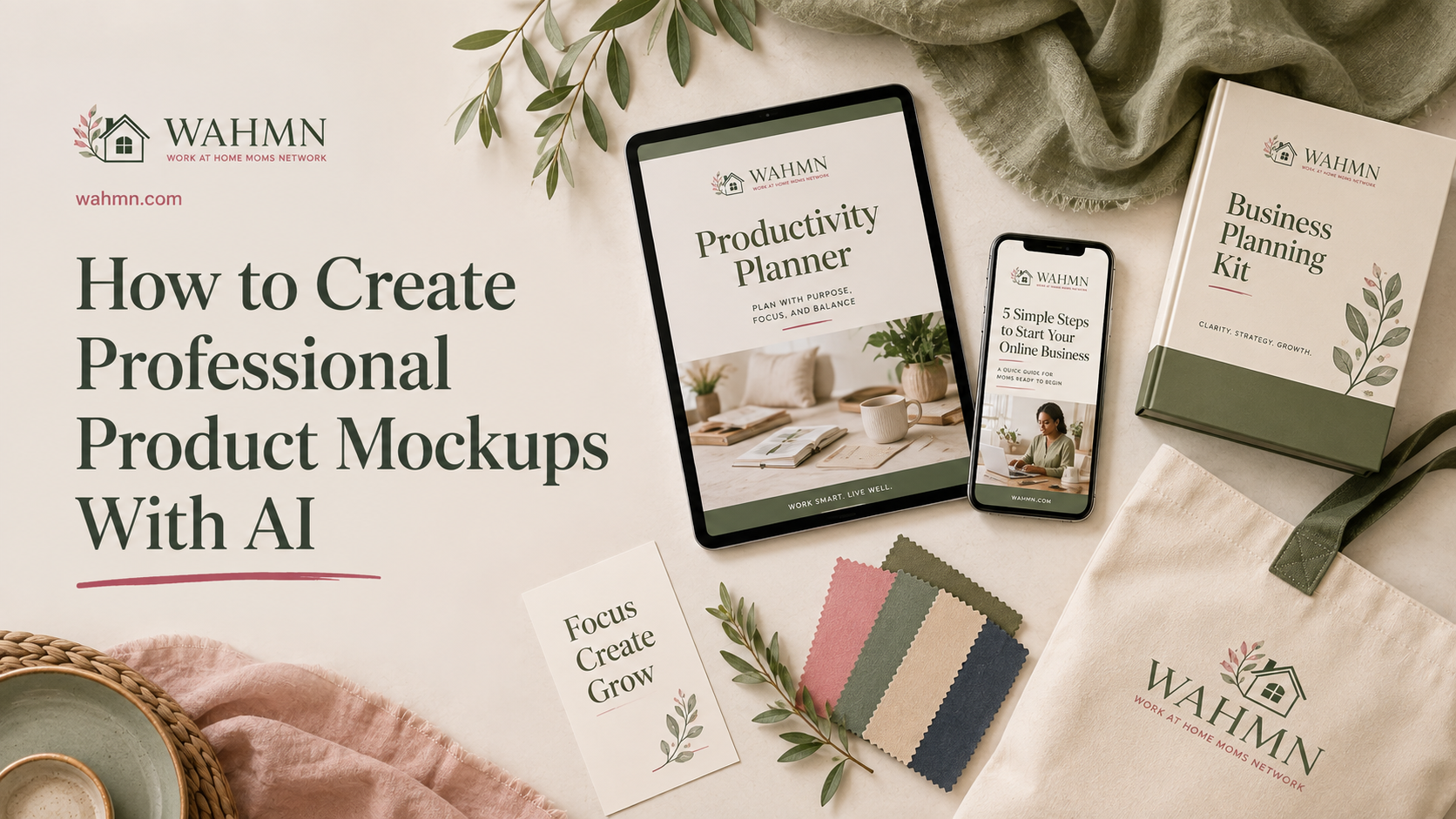
How to Create Professional Product Mockups With AI
In this article
- Introduction
- Gather the source material before prompting
- Choose the smallest workable production stack
- Build the creative brief
- Production workflow
- How to get better output from AI
- Quality-control checklist
- Rights, disclosure and ethical boundaries
- How to organize and reuse the work
- Measure whether the output is actually useful
- Common mistakes
- FAQ
In today’s fast-paced digital market, your visual presentation defines your brand’s success. Whether you are showcasing packaging or interface designs, high-quality visuals build immediate trust with your audience.
Many creators struggle to move beyond simple sketches. You can now leverage advanced technology to craft professional product mockups that look indistinguishable from expensive studio photography. This guide moves past basic prompts to show you a complete, reliable workflow.
We will explore how to refine AI product mockups to ensure brand consistency and realistic lighting. You will learn to manage quality control, handle rights, and measure the performance of your AI-generated product images. By following these steps, you transform simple concepts into polished assets that drive real engagement.
Key Takeaways
- Master the workflow from initial concept to final polished asset.
- Ensure brand consistency across all your visual marketing materials.
- Implement quality control checks to maintain a realistic aesthetic.
- Understand the legal considerations when using synthetic media.
- Track performance metrics to optimize your visual strategy effectively.
Introduction
There is a significant gap between a pretty picture and a functional business asset. When you start exploring AI product mockups, it is easy to be dazzled by the high-resolution output that tools can produce in seconds. However, an image that looks impressive on a screen often fails when it needs to serve a specific business purpose.
For those looking into AI product mockups for beginners, the primary challenge is moving beyond aesthetics. A generated image might look artistic, but it often lacks the technical precision required for a real-world marketing campaign or a product launch. If the proportions are slightly off or the branding is inconsistent, the image becomes a liability rather than an asset.
To create usable AI mockups, you must prioritize accuracy over pure visual flair. A truly useful mockup supports a clear decision, whether that is for a design approval, a sales pitch, or a website banner. You should evaluate your output based on these core requirements:
- Brand Consistency: Does the logo and color palette match your actual product?
- Proportional Accuracy: Are the dimensions of the item realistic for its intended use?
- Text Legibility: Is the copy clear, or does it look like garbled, unreadable AI artifacts?
- Contextual Relevance: Does the setting make sense for your target audience?
Ultimately, the goal is to produce realistic product mockups that build trust with your customers. When your visuals are accurate, they communicate professionalism and reliability. If your mockups contain errors, they can inadvertently signal a lack of attention to detail, which may hurt your brand’s reputation. Always verify that your AI-generated content aligns with your business goals before you hit the publish button.
Gather the source material before prompting
Success with AI product mockups for beginners starts long before you open your browser. When you provide clear, high-quality brand assets, you significantly reduce the chance of the software inventing details that do not match your vision.
Start by collecting your core files. You need high-resolution product reference images that show your item from multiple angles. These photos act as the ground truth for the AI, ensuring the final output remains faithful to your actual product rather than an idealized, generic substitute.
Beyond photos, gather your technical specifications. This includes your exact color values, official typography, and precise dielines. Having these details ready allows you to write more accurate AI mockup prompts that define the physical constraints of your packaging or merchandise.
Use this simple checklist to organize your workspace before you begin your production workflow:
- Essential Assets: High-resolution product photos, vector logos, brand color codes (HEX/CMYK), and font files.
- Technical Data: Accurate dimensions, dielines, and specific material textures.
- Inspiration References: Mood boards, lighting styles, or competitor examples that show the desired aesthetic.
Remember that consistency is key in professional product presentation. By separating your essential assets from optional inspiration, you keep your project focused. This preparation ensures that your final output is not just a pretty image, but a truly useful tool for your business.
Choose the smallest workable production stack
Building a professional production stack does not require a massive budget or endless software subscriptions. Many creators feel pressured to buy every new app, but AI product mockups startup costs are often lower when you focus on a lean, efficient workflow. A minimal stack typically includes a reliable image generator, a precise editing application, a folder of organized source assets, and a consistent review process.
When evaluating AI product mockups pricing, look beyond the monthly fee of a single tool. Consider the total workflow cost, which includes usage credits, potential specialist services, and the time spent switching between platforms. It is often smarter to pay for one high-quality subscription that handles multiple tasks rather than juggling several cheap, disconnected services.
Selecting the right AI product mockups tools requires a focus on long-term utility. Prioritize software that offers high output control, clear commercial-use terms, and high-resolution exports. If a tool cannot handle your specific brand requirements or lacks repeatability, it will eventually become a bottleneck in your production line.
Modern mockup software should act as a bridge between your raw ideas and polished marketing assets. Avoid the temptation to collect unnecessary applications that complicate your file management. Instead, choose AI design tools that integrate well with your existing creative software to keep your project files clean and accessible.
| Stack Component | Primary Function | Cost Consideration | Key Selection Criteria |
|---|---|---|---|
| Image Generator | Initial concept creation | Usage credits vs. flat fee | Prompt adherence and style |
| Editing Application | Refining and compositing | Monthly subscription | Layer support and resolution |
| Asset Library | Organizing source files | Storage fees | Searchability and tagging |
| Review Process | Quality control | Time investment | Repeatability and feedback |
Build the creative brief
A well-crafted creative brief is the secret weapon for high-quality results. When you approach AI product mockups step by step, this document acts as your roadmap to ensure every visual choice supports your goals.
Think of this brief as the foundation for your brand direction. By defining your requirements early, you avoid the frustration of endless, aimless image generation. A clear plan helps you maintain consistency and builds trust with your audience.
Your brief should include these essential details to guide the AI effectively:
- Product: Define the item, its size, and its core features.
- Audience: Identify who will view the image and what they value.
- Environment: Describe the setting, such as a minimalist studio or a lifestyle scene.
- Composition: Specify the camera angle and how the product sits in the frame.
- Lighting and Materials: Detail the mood, shadows, and surface textures.
- Branding and Placement: Note where logos appear and how the final asset will be used.
It is wise to develop two distinct product mockup concepts before you begin. Having a primary direction is essential, but a backup concept ensures you can pivot quickly if the first approach fails to meet your standards.
Consistency is key when you are building a library of assets. By documenting these choices, you ensure that your visual output remains professional and aligned with your long-term strategy. This preparation turns a complex technical task into a simple, repeatable process.
Production workflow
A reliable product mockup workflow transforms chaotic AI generations into polished marketing assets. By following a structured path, you ensure that every image meets your brand standards while saving significant time during the creative process.
To master AI product mockups step by step, begin by uploading your reference images to establish a clear visual baseline. Once your source material is ready, draft your initial prompts with specific details regarding lighting, texture, and camera angles. This foundation allows the AI to understand the exact aesthetic you want to achieve.
The secret to success lies in prompt iteration. You should change only one variable at a time, such as the lighting source or the material finish, to see how it impacts the final result. This methodical approach helps you identify exactly which adjustments improve the composition or framing of your product.
After generating your images, move into your image editing workflow to refine the output. This stage involves compositing accurate artwork, correcting perspective distortions, and performing high-resolution upscaling. Always save your prompt versions, selected raw outputs, and edited masters so your process remains repeatable for future projects.
| Workflow Stage | Primary Action | Goal |
|---|---|---|
| Preparation | Reference Upload | Define visual constraints |
| Generation | Prompt Iteration | Refine composition and light |
| Refinement | Image Editing | Correct perspective and scale |
| Finalization | Export and Approval | Deliver platform-ready files |
Finally, ensure that your exports are tailored to the specific requirements of your target platforms. Whether you need high-resolution files for print or optimized web assets, maintaining a consistent version control system will keep your creative library organized and ready for reuse.
How to get better output from AI
Improving your AI product mockups starts with understanding how to control the variables of your digital environment. Rather than hoping for a lucky result, you must guide the model with clear, technical instructions. Think of your prompt as a blueprint that defines the physical reality of your scene.
Effective prompt engineering for mockups requires you to specify the subject, materials, and lighting conditions. You should describe the camera position, such as “eye-level shot” or “macro lens,” to establish depth. Always include negative constraints to prevent the AI from adding unwanted elements like distorted text or extra limbs.
When selecting AI product mockups tools, you must prioritize platforms that offer granular control. Features like inpainting and image-to-image editing are essential for fixing geometry or adjusting labels. The following table compares how different platforms handle these critical production needs.
| Feature | Midjourney | Adobe Firefly | Stable Diffusion |
|---|---|---|---|
| Inpainting Control | Moderate | High | Very High |
| Consistency | High | Moderate | Very High |
| Resolution | High | High | Customizable |
| Ease of Use | High | Very High | Low |
Remember that AI should only serve as a visual starting point for your project. You must manually correct logos, small text, and labels to ensure brand accuracy. Prioritizing product image realism over dramatic, unusable effects will save you significant time during the final editing phase.
By focusing on believable product behavior, you create assets that look professional and authentic. Always verify that the geometry of your product remains consistent across different variations. This disciplined approach ensures your final output is ready for high-stakes commercial use.
Quality-control checklist
Even the most advanced AI tools can produce subtle errors that ruin your professional presentation. While the software creates impressive visuals, it often struggles with fine details that human eyes catch instantly. Implementing a strict AI mockup quality control process is essential to ensure your work remains credible.
Start your review by checking the product image accuracy against your original source material. AI often hallucinates text or distorts logos, so verify that every character is spelled correctly. If the label text looks like gibberish, you must regenerate that specific area or use an editor to fix the typography.
Next, examine the physical properties of the object. Look closely at the product shape, seams, and perspective to ensure they align with real-world physics. AI product mockups mistakes often appear as warped edges or impossible shadows that immediately signal a synthetic origin to the viewer.
“Quality is never an accident; it is always the result of high intention, sincere effort, intelligent direction and skillful execution.”
To achieve realistic branding, you must also inspect the environment. Check for consistent reflections and lighting that match the background. If the AI placed the product in a scene with conflicting light sources, the image will look fake regardless of how sharp the product itself appears.
Finally, view your files at both thumbnail and full-size levels. Small errors like extra fingers on a hand or floating objects often hide in plain sight until you zoom in. Use the following table to track common issues during your final review.
| Common AI Error | Impact on Trust | Fix Strategy |
|---|---|---|
| Garbled Label Text | High | Manual overlay in Photoshop |
| Inconsistent Shadows | Medium | Adjust lighting prompts |
| Distorted Product Shape | High | Use a reference image |
| Background Distractions | Low | In-painting or cropping |
By following this AI mockup quality control routine, you protect your reputation. Consistent product image accuracy builds long-term confidence with your clients. Never skip these steps, as even minor AI product mockups mistakes can undermine the professional quality of your realistic branding efforts.
Rights, disclosure and ethical boundaries
Ethical AI marketing starts with transparency and a deep respect for intellectual property rights. When you integrate artificial intelligence into your design workflow, you must verify that your tools and assets align with legal standards. Understanding AI product mockup rights is the first step toward protecting your brand from potential infringement claims.
Before publishing any visual content, take the time to review the specific terms of service for your chosen AI model. Many platforms have distinct rules regarding commercial-use licensing for generated outputs. You should also audit your project for third-party elements, such as:
- Proprietary fonts or stock photography references.
- Registered trademarks or protected logos.
- Likeness permissions for any human figures depicted.
- Specific clauses in your client agreements regarding AI usage.
It is vital to distinguish between a conceptual visualization and a literal representation of a product. If your mockup shows features that the final physical item will not possess, you risk misleading your audience. Clear AI disclosure is necessary when an image could materially affect how a customer perceives a product, especially during preorder campaigns.
Always prioritize honesty to build long-term trust with your consumers. While these guidelines reflect common practices for publishing in the United States, they do not constitute formal legal advice. Consult with a qualified attorney to ensure your specific business practices comply with evolving regulations in your jurisdiction.
How to organize and reuse the work
Building a professional product asset library is the foundation of a sustainable creative workflow. When you treat your AI-generated files as long-term assets, you save significant time on future projects. A clean, searchable folder system ensures that every team member can locate high-quality files without confusion.
Establishing a reliable mockup production system requires consistent file management. You should store your source assets, layered working files, and final exports in a centralized location. This structure allows you to track approvals and licenses effectively, ensuring that your brand remains compliant and organized.
To avoid the frustration of publishing outdated work, adopt a strict naming convention for every file. Use a clear format that includes the product name, concept, version, date, channel, and current approval status. Consistency is the key to efficiency when managing large volumes of digital content.
- Product: The specific item being showcased.
- Concept: The creative direction or theme used.
- Version: The iteration number to track progress.
- Date: The creation or export date.
- Channel: Where the asset will be published.
- Status: Draft, pending, or approved.
Maintaining a comprehensive prompt library is equally vital for long-term success. This record should document which prompts produced excellent results and which failed to meet your standards. By tracking the specific edits required after generation, you create a roadmap for future success.
Finally, leverage reusable AI mockup templates to streamline your production cycle. These templates allow you to maintain a professional standard while drastically reducing the time spent on repetitive tasks. When you combine a well-documented prompt history with organized source files, your creative output becomes a powerful, scalable engine for your brand.
Measure whether the output is actually useful
Determining the effectiveness of your AI assets requires a shift from artistic appreciation to cold, hard data. You must track specific mockup performance metrics to ensure your creative efforts align with business goals. Focus on tangible indicators like approval speed, total editing time, and the volume of customer inquiries generated by your new visuals.
When evaluating AI product mockups startup costs, look past the initial subscription fees. Consider the time saved during the design phase and the reduction in traditional photography expenses. A tool that costs fifty dollars a month is a bargain if it replaces a thousand-dollar studio shoot and saves your team ten hours of manual labor.
Smart teams frame AI product mockups pricing as a cost-per-approved-asset calculation. By dividing your total monthly software spend by the number of high-quality assets produced, you gain a clear view of your efficiency. This metric helps you justify the investment to stakeholders who prioritize return on creative investment over vanity metrics.
To validate your results, perform conversion testing by running AI-generated mockups against your existing high-performing visuals. Keep the campaign variables identical to ensure the image quality is the only factor changing. This method provides an unbiased look at how your audience responds to new creative styles.
| Metric Category | Primary Goal | Success Indicator |
|---|---|---|
| Production Efficiency | Reduce time-to-market | Lower cost-per-asset |
| Audience Engagement | Increase interaction | Higher click-through rate |
| Sales Impact | Drive revenue | Improved conversion rate |
| Stakeholder Trust | Build confidence | Faster internal approvals |
Common mistakes
Many creators struggle with AI product mockups mistakes that undermine their final output. It is easy to assume that generating dozens of variations will eventually produce a perfect image. However, quantity rarely compensates for a lack of direction or a missing quality-control stage.
You should watch out for common AI mockup errors that often lead to wasted time. Skipping source references, trusting the AI to render readable text, and ignoring licensing requirements are frequent pitfalls. These issues often result in inaccurate product visuals that fail to meet your specific business requirements.
The core difference between a generated image and a usable asset lies in your preparation. Relying on poor prompting creates a disconnect between your vision and the final result. Even if an image looks attractive at first glance, it may lack the technical precision needed for professional marketing materials.
If you find your results falling short, do not simply keep clicking “generate.” Instead, follow this recovery method to get back on track:
- Return to your source assets: Ensure your original photos or sketches are high-quality and clear.
- Revise the brief: Be more specific about lighting, angles, and product dimensions.
- Regenerate selectively: Use targeted prompts rather than broad, vague requests.
- Edit the composition: Carefully refine the final output to ensure it matches your brand standards.
By slowing down and focusing on these steps, you transform unusable drafts into professional assets. Always compare your AI output against the real product to ensure consistency and accuracy.
Can beginners create high-quality AI product mockups? Yes, anyone can start by using simple prompts in tools like Midjourney or Adobe Firefly. These platforms make professional product visualization accessible to those without formal design training.
What assets produce the best results? High-resolution photos of your actual product serve as the best foundation. Using these images ensures your AI mockup workflow questions lead to realistic, usable outcomes rather than abstract concepts.
How much does a basic workflow cost? Most users spend between twenty and fifty dollars monthly on subscription fees for generative tools. This investment pays off when you replace expensive studio photography with digital assets.
When is manual editing necessary? AI often struggles with specific text on packaging or complex logos. You should plan to use Photoshop or Canva to refine these details after the initial generation.
Are these images ready for commercial use? Always check the terms of service for your chosen software. Disclosure remains vital when you present AI-generated imagery to clients or stakeholders.
Remember that concept imagery differs from final product photography. Use these tools to test ideas quickly before committing to a full production run. To succeed, prepare accurate materials, brief the concept, generate selectively, edit carefully, review rights, and measure usefulness.
FAQ
Can I really create professional AI product mockups for beginners without prior design experience?
What are the typical AI product mockups startup costs I should expect?
Why does the AI struggle with the text on my product packaging?
Are there specific AI product mockups pricing models I should look for when choosing a tool?
What is the most important step in the AI product mockups step-by-step workflow?
Is it necessary to disclose that a product image was created with AI?
How can I avoid the “uncanny valley” look in my mockups?
Can AI mockups replace traditional product photography entirely?
Keep reading on WAHMN
More articles in this category, browse the full article library, or explore our business tools and learning paths.
Mockups sell products, so they are worth getting right. AI Advantage covers the prompting, and Print on Demand Business covers selling the products they show.