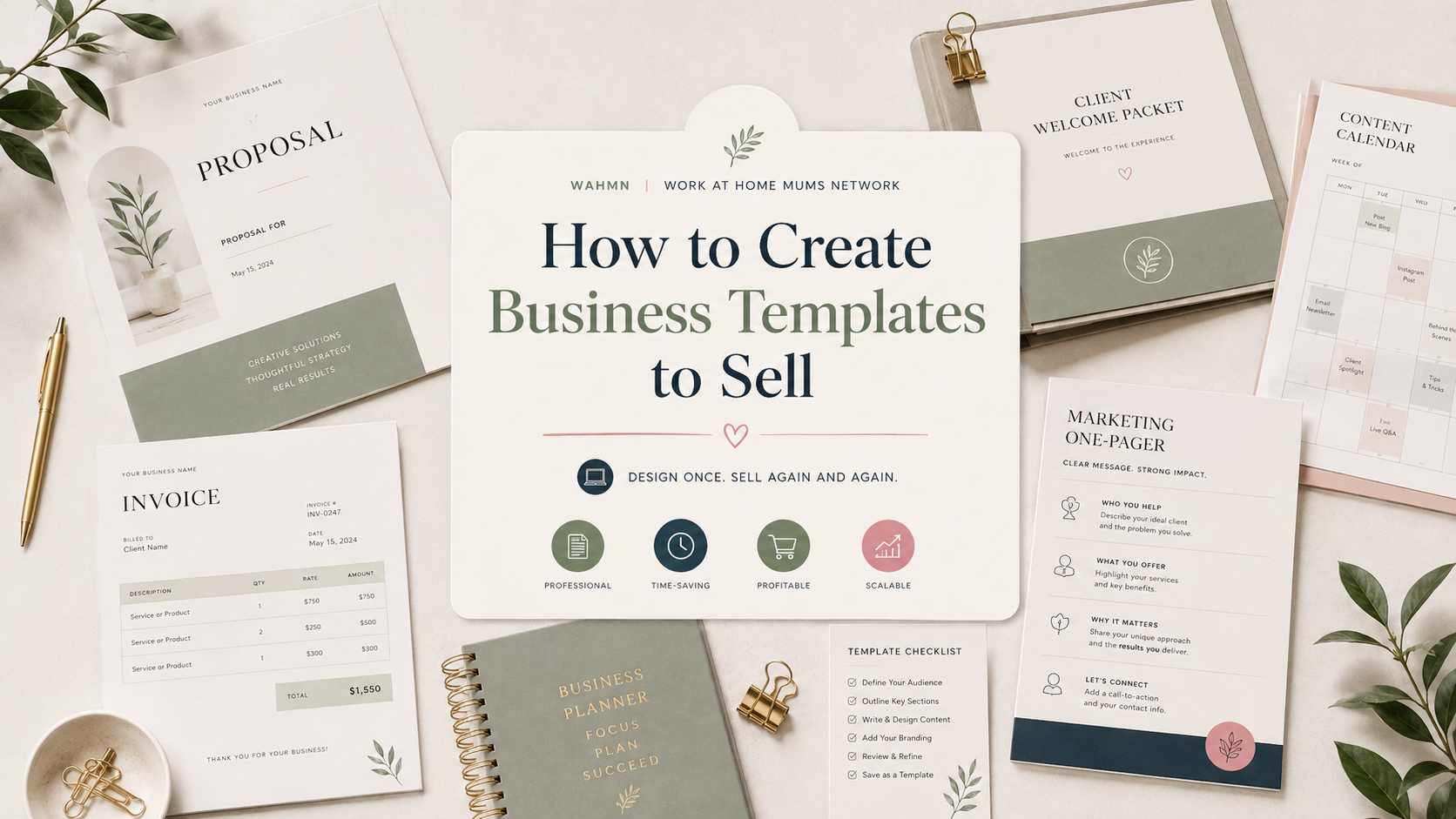
How to Create Business Templates to Sell
In this article
- How to Create Business Templates to Sell: Choose a Profitable Market
- Plan a Template Product Customers Can Use Immediately
- Design Professional Business Templates That Stand Out
- Create Resume Templates to Sell in a Competitive Niche
- Build, Package, and Test the Final Template Files
- Protect Your Work and Prepare a Customer-Friendly Offer
- Price Templates for Profit and Sustainable Growth
- Sell Business Templates Online Through the Right Channels
- Market Resume Templates and Build Repeat Sales
- Conclusion
- FAQ
Turning your design skills into a reliable income stream starts with understanding the market. Many designers focus on aesthetics, but successful digital business products solve specific problems for your audience. You must move beyond pretty visuals to offer genuine utility.
The process of creating business templates involves careful research, strategic pricing, and effective promotion. You will learn to identify profitable niches, design fully editable files, and test the buyer experience before launch. This guide covers everything from resume design to licensing and repeat sales.
By following this roadmap, you will learn how to create business templates to sell that provide real value. We focus on building assets that customers actually need, ensuring your hard work translates into consistent revenue. Let’s turn your creative passion into a sustainable venture.
Key Takeaways
- Focus on solving specific customer problems rather than just visual appeal.
- Conduct thorough market research to identify high-demand niches.
- Design files that are easy for the end-user to edit and customize.
- Test your buyer experience to ensure a smooth delivery process.
- Implement smart pricing and promotion strategies to maximize your reach.
How to Create Business Templates to Sell: Choose a Profitable Market
Choosing a profitable template niche requires a blend of creative intuition and cold, hard data. Before you open your design software, you must understand the landscape of business template ideas that actually convert into sales. Success in this space is rarely about luck; it is about solving real-world friction for busy professionals.
Identify business problems customers already pay to solve
The most successful products address recurring pain points that businesses face daily. When you learn how to create business templates to sell, focus on tasks that are time-consuming or technically difficult for your target audience.
- Onboarding and Hiring: Employee handbooks or training checklists.
- Financial Planning: Budget trackers and expense reports.
- Client Communication: Project proposals, invoices, and feedback forms.
- Operations: Meeting agendas and strategic planning roadmaps.
Research template demand on Etsy, Creative Market, and Gumroad
Effective template market research involves observing where buyers are already spending their money. Each platform offers unique signals regarding what is currently trending and what has long-term viability.
“The best products don’t just look good; they act as a bridge between a problem and a finished result. If you can save a business owner two hours of work, you have a product worth selling.”
On Etsy, look for high-volume sellers and read their reviews to see what customers love or find confusing. Creative Market often highlights high-end design trends, while Gumroad is excellent for testing niche, utility-focused digital tools.
Compare broad business templates with focused niche products
You might be tempted to create a “general business planner,” but these often face stiff competition. Instead, consider the benefits of a focused niche approach. A template designed specifically for “Real Estate Agents” or “Freelance Graphic Designers” will often outperform a generic product because it speaks directly to the user’s specific workflow.
Define the ideal customer, use case, and buying motivation
To build a sustainable shop, you must know exactly who you are helping. Ask yourself if your customer is a solo entrepreneur, a small agency owner, or a corporate manager. Understanding their buying motivation, whether it is saving time, looking professional, or reducing stress, will guide your design choices.
Evaluate search demand, competition, and repeat-purchase potential
Before committing to a project, perform a quick audit of the market landscape. High search demand is great, but if the competition is overwhelming, you may struggle to get noticed. Look for gaps where you can offer better organization, clearer instructions, or a more modern aesthetic. Finally, prioritize products that encourage repeat-purchase potential, such as bundles or modular systems that grow alongside a business.
Plan a Template Product Customers Can Use Immediately
Before you open any design software, you must map out the specific workflow your customers follow. Effective template product planning ensures that your final output solves a real problem instead of just looking attractive. By focusing on how your audience works, you create a product that provides immediate value from the moment they download it.
Choose the right template format for the customer’s workflow
Not every user wants to work in the same environment. Some professionals prefer the rigid structure of a spreadsheet, while others need the creative freedom of a design tool. You should research which software your target market uses daily to ensure your editable business templates fit seamlessly into their existing routines.
Map the information, sections, and actions the template must contain
Start by listing the essential data points your customer needs to input. Think about the logical flow of information, such as headers, body content, and call-to-action areas. Mapping these elements early prevents design clutter and keeps the user experience focused on the task at hand.
Separate essential features from decorative extras
It is tempting to add complex graphics or heavy styling, but these often hinder usability. Prioritize functionality by ensuring the core content is easy to read and edit. Decorative elements should only serve to enhance the professional look without complicating the user’s ability to customize the file.
Create a product brief with file types, dimensions, and included assets
A detailed product brief acts as your roadmap during the creation process. This document should define the exact dimensions, color palettes, and file formats you intend to deliver. Having a clear plan helps you maintain consistency across all your assets.
Plan editable versions for Microsoft Word, Google Docs, Canva, Excel, or Notion
To maximize your reach, consider offering your work in multiple formats. You might provide Microsoft Word templates for formal reports or Google Docs templates for collaborative projects. Similarly, Canva templates work well for visual marketing, while Excel templates and Notion templates are perfect for data-heavy organization. Providing these options ensures your customers can choose the platform they already know and trust.
Design Professional Business Templates That Stand Out
Creating professional business templates is more than just picking pretty colors; it is about solving user problems through thoughtful structure. When your design is intuitive, customers feel confident that they can achieve their goals without frustration.
Build a consistent visual system for fonts, colors, spacing, and hierarchy
A strong visual system acts as the backbone of your product. By limiting your palette to a few complementary colors and choosing two or three readable fonts, you create a cohesive look that feels premium.
Consistent spacing ensures that every page feels balanced. Establishing a clear hierarchy, where headers are distinct from body text, guides the reader’s eye naturally through the document.
Make every layout easy to scan, edit, print, and share
Users often work under tight deadlines, so your resume layout design must be incredibly efficient. Keep your structures logical so that a hiring manager can find essential information in seconds.
Ensure that your files are compatible with standard software. If a user cannot easily edit a text box or print the document without formatting errors, they will likely seek a refund.
Use accessible contrast, readable type sizes, and clear instructions
Good accessible template design ensures that everyone can read your content, regardless of their visual ability. Use high-contrast color combinations and avoid tiny font sizes that strain the eyes.
Always include a simple “Read Me” file or embedded notes. Clear instructions help users navigate complex features, which reduces the number of support questions you receive.
Create polished preview images that show the template in use
Your preview images are the primary sales tool for your resume template design. Show the product in a real-world context, such as a laptop screen or a printed folder, to help buyers visualize the final result.
High-quality mockups demonstrate that your professional business templates are ready for immediate use. This visual proof builds trust and encourages potential customers to complete their purchase.
Balance originality with familiar business conventions
While you want your work to stand out, do not reinvent the wheel. Most users expect standard sections in a document, so keep your resume layout design aligned with industry norms to ensure it remains professional.
You can express your creativity through subtle accents or unique typography. However, keep the core structure predictable so that your work remains functional for every user.
Avoid clutter, excessive customization, and difficult editing requirements
Over-designing a template often leads to a poor user experience. Excessive clutter distracts from the content, while overly complex editing requirements can frustrate even tech-savvy customers.
Focus on accessible template design by keeping the file structure clean and simple. A template that is easy to customize will always outperform a visually busy one that is difficult to manage.
Create Resume Templates to Sell in a Competitive Niche
If you want to know how to create resume templates to sell, you must focus on the specific needs of modern job seekers. Rather than offering a single, generic layout, successful creators build products that solve unique problems for specific professionals. By tailoring your work to distinct career paths, you provide immediate value that generic designs simply cannot match.
Choose resume formats for different industries and career stages
The market for resume templates for different industries is vast and varied. A creative professional in graphic design requires a visually bold layout, while a corporate attorney needs a clean, traditional structure. You should research the expectations of these fields to ensure your templates feel authentic to the user. Resume templates sit right beside this market, and if that buyer appeals more we cover how to create resume templates to sell on its own.
Consider the career stage of your target buyer as well. Entry-level candidates often need space to highlight education and internships, whereas senior executives require sections that emphasize leadership achievements and high-level metrics. Providing options for these different levels helps you capture a wider audience.
| Industry Type | Primary Focus | Design Style |
|---|---|---|
| Creative/Marketing | Portfolio & Skills | Bold, Modern, Visual |
| Corporate/Finance | Experience & Results | Minimalist, Traditional |
| Technical/Engineering | Projects & Certifications | Structured, Data-heavy |
Structure a resume template around hiring-manager priorities
Hiring managers often scan a document in seconds. Your template must prioritize the most critical information, such as job titles, company names, and quantifiable accomplishments. By placing these elements in a logical flow, you help the candidate make a strong first impression.
Apply effective resume template design to headings, sections, and white space
Great resume template design relies on the smart use of white space to prevent visual clutter. Use clear, bold headings to guide the reader’s eye through the document. When sections are clearly defined, the hiring manager can find essential details without feeling overwhelmed by dense text.
Include matching cover letters, reference sheets, and portfolio pages
You can significantly increase the value of your product by offering a complete career branding kit. Customers appreciate when they can purchase a matching cover letter, reference sheet, and portfolio page in one bundle. This consistency creates a professional look that helps the applicant stand out during the interview process.
Design applicant tracking system-friendly resume templates
Many large companies use software to filter candidates before a human ever sees their application. To ensure your products remain useful, you must create ATS-friendly resume templates that avoid complex graphics or text boxes in the main body. A clean, single-column layout is often the safest choice for passing these automated filters.
Offer versions for Microsoft Word, Google Docs, and Canva
Accessibility is key to high sales volume. Not every user has advanced design software, so you should provide your templates in formats that are easy to edit. Offering versions for Microsoft Word, Google Docs, and Canva ensures that your customers can customize their documents regardless of their technical skill level or software access.
Build, Package, and Test the Final Template Files
The transition from a creative draft to a market-ready file is where true quality is born. When creating and selling resume templates, your reputation depends on how well your files perform in the hands of a customer. A polished product minimizes support requests and builds long-term trust with your audience.
Create the editable master file and export customer-ready versions
Start by maintaining a clean, editable master file that serves as your source of truth. This file should contain all original layers, vector shapes, and high-resolution assets before you flatten or export them.
Once your master is ready, export specific versions for your customers. Ensure these files are compatible with common software like Microsoft Word, Adobe InDesign, or Canva. Providing editable template files in multiple formats allows users to choose the tool they are most comfortable using. Social templates sell in much higher volume at lower prices, and creating social media templates to sell covers that side of the shop.
Write simple instructions for opening, editing, saving, and printing
Even the most intuitive design can confuse a new user. Include a clear, concise PDF guide that walks the buyer through the entire process. Your instructions should cover:
- How to download and unzip the product folder.
- Steps for installing required fonts.
- Guidance on editing text fields and swapping images.
- Best practices for saving and exporting to PDF for job applications.
Organize folders, file names, fonts, links, and included resources
Effective template file packaging is essential for a professional presentation. Use a logical folder structure that separates the main templates from supplemental assets like icons or style guides.
Rename your files using a consistent naming convention, such as “Resume_Template_Modern_V1.docx.” Always include a text file that lists direct links to any third-party fonts or graphics used in the design to ensure the user can easily source them.
Test the product on desktop, mobile, and supported software versions
Never skip digital product testing before you go live. Open your files on different operating systems, including Windows and macOS, to ensure the layout remains stable. Check how the files appear on mobile devices, as many users may preview their documents on the go.
Ask test users to complete common tasks without personal assistance
Invite a few friends or colleagues to act as beta testers. Ask them to perform specific tasks, such as changing a header or adding a new section, without your help. Observe where they struggle, as this will highlight areas that need better documentation or design adjustments.
Correct broken links, formatting shifts, missing fonts, and confusing instructions
Use the feedback from your testers to refine the final package. If a user reports a formatting shift, check your margins and text boxes for errors. Fixing these small issues now prevents negative reviews later.
| Quality Check Item | Action Required | Priority Level |
|---|---|---|
| File Compatibility | Test in Word, InDesign, and Canva | High |
| Font Licensing | Verify all fonts are free for commercial use | Critical |
| Instruction Clarity | Simplify steps for non-designers | Medium |
| Link Integrity | Check all external resource URLs | High |
Protect Your Work and Prepare a Customer-Friendly Offer
Establishing clear legal boundaries ensures your business remains secure and professional. When you sell digital assets, business template licensing acts as the primary shield for your intellectual property. By setting expectations early, you minimize the risk of disputes and foster a positive relationship with your buyers.
Set clear usage rights for personal, commercial, and client projects
Your customers need to know exactly how they can use your files. Clearly define whether a purchase covers personal use, such as a student resume, or if it grants commercial use template rights for small business owners. If you allow the use of templates for client projects, specify if the buyer needs a separate license for each unique client.
Confirm that fonts, graphics, photos, and design elements are properly licensed
Before you list any product, verify that every asset you used is legally cleared for resale. Many free fonts or stock photos require a specific digital product license to be included in a commercial template. Always check the EULA (End User License Agreement) of your design assets to ensure you are not violating copyright laws.
Decide whether customers may resell, redistribute, or customize the files
You must establish a firm template redistribution policy to protect your revenue. Most creators allow customers to customize files for their own needs but strictly prohibit the resale or sharing of the original source files. Clearly stating these limitations prevents unauthorized distribution and protects your brand’s value.
Explain digital delivery, support boundaries, and update policies
Transparency regarding the post-purchase experience is vital for customer satisfaction. Outline how the files will be delivered, such as through an automated email link or a secure download portal. Additionally, define your support boundaries, including whether you offer technical assistance for software issues or if you provide free updates when design trends change.
Use a license document that matches the product and target buyer
The legal language you choose should be accessible and relevant to your specific audience. A simple, one-page document is often more effective than a complex legal contract for small-scale digital products. Always ensure your license document is easy to find and clearly linked on your product page to avoid any confusion before the checkout process.
Price Templates for Profit and Sustainable Growth
Turning your creative work into a sustainable income requires a smart approach to pricing. Effective resume template monetization relies on balancing your effort with the actual value provided to the customer.
Calculate design time, software costs, marketplace fees, and support time
Before setting a price, you must account for every hour spent on design and file organization. Include the monthly cost of software subscriptions like Adobe Creative Cloud or Canva Pro in your overhead. Remember that marketplaces often take a percentage of each sale, so factor in these transaction fees to ensure your margins remain healthy.
Compare pricing with similar products without copying competitors
Researching the market helps you understand the standard template pricing strategy used by successful creators. Look at the features offered by others, but avoid simply matching their prices. Instead, position your work based on the unique quality and utility you provide to the end user.
Use tiered packages, bundles, and commercial licenses to increase order value
You can maximize your revenue by offering profitable digital products at different price points. Consider creating resume template bundles that include matching cover letters and reference sheets to provide a complete solution. Offering a commercial license allows professional users to purchase your work for client projects, which justifies a higher price tag.
Set launch discounts without weakening the product’s perceived value
Limited-time discounts can generate initial momentum for your shop. Use these sparingly to avoid training customers to wait for sales. Always emphasize the long-term value of your templates to maintain a premium brand image.
Price individual resume templates, collections, and business template systems
Pricing should scale with the complexity of the product. A single resume file serves a specific need, while a full business system offers comprehensive value that warrants a higher investment.
| Product Type | Pricing Strategy | Value Proposition |
|---|---|---|
| Individual Resume | Entry-level | Quick, affordable solution |
| Resume Collection | Mid-range | Variety for different roles |
| Business System | Premium | Complete workflow automation |
Review conversion rates, refunds, and average order value after launch
Data is your best tool for growth after your product goes live. If your conversion rate is low, consider updating your preview images or clarifying your product description. High refund rates often signal that the product does not meet the expectations set in your marketing materials.
Sell Business Templates Online Through the Right Channels
Selling your work effectively means putting your products exactly where your customers are already shopping. Choosing the right digital storefront is a vital step in selling business templates online, as each platform offers a unique environment for your brand.
Choose between Etsy, Creative Market, Gumroad, Shopify, and a personal website
Marketplaces like Etsy and Creative Market provide built-in traffic, which is excellent for beginners. Etsy templates often appeal to DIY users, while Creative Market templates attract professional designers and small business owners looking for high-end assets.
Alternatively, platforms like Gumroad or a personal Shopify store give you more control over the brand experience. Gumroad templates are perfect for creators who want a simple, fast checkout process. Meanwhile, Shopify digital products allow for a fully customized website that grows with your business over time.
Build product listings with benefit-focused titles and searchable descriptions
Your product title should highlight the specific problem your template solves. Instead of just naming the file, use descriptive language that tells the buyer how it will save them time or improve their workflow.
Include relevant keywords in your descriptions to help potential customers find your work through search engines. When selling resume templates online, focus on the career benefits, such as “ATS-friendly” or “modern professional layout,” to capture the right audience.
Show exactly what buyers receive through previews, videos, and sample pages
Customers want to see the quality of your work before they commit to a purchase. Use high-resolution preview images that highlight the clean design and ease of use of your templates.
Short video walkthroughs are also highly effective. They show the user exactly how to edit the file, which builds trust and reduces the number of support questions you receive later.
Streamline checkout, digital delivery, customer support, and review collection
A smooth buying experience is essential for long-term success. Most platforms handle automated digital delivery, ensuring the customer gets their files immediately after payment.
Always provide clear instructions for support if a customer has trouble opening a file. Finally, encourage happy buyers to leave reviews, as positive feedback acts as social proof that helps convert future visitors into paying customers.
Match each sales platform to the product’s price, audience, and discovery model
| Platform | Primary Audience | Discovery Model | Best For |
|---|---|---|---|
| Etsy | General Consumers | High Organic Search | Affordable, mass-market items |
| Creative Market | Design Professionals | Curated Marketplace | Premium, high-end assets |
| Gumroad | Creator Economy | Direct Social Traffic | Quick, low-friction sales |
| Shopify | Brand Loyalists | Owned Marketing | Scaling a professional brand |
Market Resume Templates and Build Repeat Sales
Growing your sales involves more than just listing files; it requires a strategic plan to reach the right job seekers. By focusing on how your designs solve specific layout problems, you can build a loyal customer base that returns for future career needs.
Apply a resume template sales strategy across search, social media, and email
A comprehensive resume template sales strategy integrates multiple touchpoints to keep your brand top-of-mind. You should maintain an active presence where your target audience spends their time, ensuring your message remains consistent across every channel.
Email marketing allows you to nurture leads by sharing career tips and exclusive discounts. By building an email list, you create a direct line of communication that encourages repeat template sales over time.
Optimize listings for keywords such as “resume templates to sell” and related buyer intent
When you list your products, focus on the specific terms your customers type into search bars. Using phrases like “resume templates to sell” helps search engines connect your shop with people actively looking for professional document solutions.
Think about the intent behind the search. A user looking for “modern executive resume” has different needs than someone searching for “simple student resume,” so tailor your titles and descriptions to match those specific goals.
Create content that demonstrates resume improvements without promising employment results
Effective resume template marketing focuses on the quality of the design and the clarity of the information. You should highlight how your templates improve readability and visual hierarchy, which helps hiring managers scan documents more efficiently.
Avoid making claims about job placement or salary increases. Instead, emphasize that your templates provide a professional foundation that allows the user’s experience to shine through clearly.
Use Pinterest, TikTok, Instagram, LinkedIn, and blog content strategically
Each platform serves a unique purpose in your promotional efforts. Pinterest is excellent for visual discovery, while LinkedIn allows you to reach professionals who are currently navigating career transitions.
- TikTok/Instagram: Use short videos to show how easy it is to edit your files.
- Blog Content: Write articles about common resume mistakes to establish your authority.
- Pinterest: Create pins that showcase the final, polished look of your templates.
Offer free samples or lead magnets that showcase the paid product’s quality
Providing a small, free resource is a powerful way to build trust with potential buyers. A free checklist or a single-page sample demonstrates the high quality of your work before a customer commits to a purchase.
This approach lowers the barrier to entry and introduces new users to your brand. Once they experience the ease of your files, they are much more likely to return for a full bundle.
Encourage reviews, referrals, bundles, and complementary purchases
Social proof is essential for long-term growth. Always encourage satisfied customers to leave reviews, as these testimonials act as powerful endorsements for new visitors.
You can also increase your average order value by offering bundles. For example, pairing a resume template with a matching cover letter and reference sheet provides extra value that customers appreciate.
Track views, clicks, conversion rate, revenue per product, and repeat customers
Data is the backbone of a profitable resume template business. You must monitor your analytics to see which designs perform best and where your traffic originates.
Pay close attention to your conversion rate. If a listing gets many views but few sales, it may be time to update your preview images or refine your product description.
Refresh designs and listings based on customer questions and sales data
Listen to the questions your customers ask, as these often reveal gaps in your current offerings. If many people ask about specific software compatibility, clarify those details prominently in your listing.
Regularly updating your designs keeps your shop fresh and relevant. This proactive approach ensures you stay ahead of design trends and continue to meet the evolving needs of job seekers.
Turn successful resume template products into a profitable resume template business
Consistency is the final piece of the puzzle. By refining your marketing resume templates based on real-world feedback, you transform individual sales into a sustainable income stream.
| Channel | Primary Goal | Best Content Type |
|---|---|---|
| Visual Discovery | Infographics & Mockups | |
| Professional Trust | Career Advice Articles | |
| Customer Retention | Exclusive Discounts | |
| TikTok | Brand Awareness | Quick Editing Tutorials |
Conclusion
Creating a successful resume template business requires more than just artistic flair. You must bridge the gap between aesthetic design and functional utility to meet the specific needs of job seekers. Every step in your process matters, from identifying a clear market gap to testing your files for seamless user experiences.
A profitable resume template business thrives on data-driven decisions rather than guesswork. Monitor your sales metrics, customer feedback, and refund rates to understand what truly resonates with your audience. Use this information to refine your offerings and build long-term trust with your buyers.
Keep your business template selling checklist nearby as you scale your operations. Start by selecting one niche market and designing a single, high-quality product that solves a real problem. Test your files thoroughly across different software versions before you launch your store on platforms like Etsy or Gumroad.
Your path to growth involves constant iteration based on real-world performance. Focus on providing clear instructions and reliable support to turn one-time buyers into repeat customers. Take the first step today by mapping out your product brief and preparing your first professional template for the market.
FAQ
How do I start a successful resume template business from scratch?
What is the best software for resume template design if I want to reach the most buyers?
How to create resume templates to sell that are actually ATS-friendly?
What are the best tips for selling resume templates online successfully?
How should I approach resume template monetization and pricing?
How do I protect my digital products from being resold or stolen?
What is the most effective way to handle marketing resume templates on social media?
How do I ensure a great customer experience after the sale?
Keep reading on WAHMN
More articles in this category, browse the full article library, or explore our business tools and learning paths.