How to Create Social Media Templates to Sell
In this article
- Define a Profitable Social Media Template Niche
- Choose Template Products That Solve Specific Content Problems
- Plan a Cohesive Template Collection Before Designing
- How to Create Social Media Templates to Sell
- Make Templates Easy for Customers to Customize
- Expand the Product Line With Printable Checklist Templates
- Prepare Professional Files, Previews, and Customer Instructions
- Price and Package Digital Templates for Stronger Sales
- Write Listings That Attract the Right Template Buyers
- Launch and Promote Your Social Media Template Shop
- Use Checklist Selling Strategies to Grow Revenue
- Conclusion
Turning your artistic passion into a profitable side hustle has never been more accessible. Many designers are discovering that they can monetize their eye for aesthetics by building a thriving digital template business from home.
Whether you are a seasoned graphic artist or a beginner, you can leverage platforms like Canva to reach thousands of potential customers. By offering high-quality Canva social media templates, you provide immense value to busy entrepreneurs who need professional branding without the steep learning curve.
This guide walks you through the entire journey of launching your shop. We will cover everything from identifying a lucrative niche to mastering the art of listing, pricing, and promoting your work on channels like Etsy, Pinterest, and Instagram. Get ready to transform your creative workflow into a sustainable income stream using simple, effective strategies.
Key Takeaways
- Identify high-demand niches to ensure your products stand out in a crowded marketplace.
- Master design tools to build professional assets that solve specific customer pain points.
- Utilize platforms like Etsy and Creative Market to reach a global audience of buyers.
- Implement effective pricing strategies to maximize your profit margins while remaining competitive.
- Drive traffic to your shop using short-form video, email marketing, and social media engagement.
Define a Profitable Social Media Template Niche
Before you design a single graphic, you must define a profitable social media template niche that resonates with your audience. Choosing a specific lane helps you stand out in a crowded digital marketplace. By focusing on a particular group, you become the go-to expert for their unique visual needs.
Identify the buyers most likely to purchase templates
Your target buyers are usually busy professionals who lack the time or design skills to create content from scratch. Coaches, real estate agents, and small business owners often struggle to maintain a consistent online presence. They need solutions that allow them to post quickly without sacrificing quality.
When you understand the pain points of these groups, you can create assets that solve their specific problems. Empathy is your greatest tool when designing for these users. If you can save them hours of work, they will happily invest in your products.
Compare evergreen needs with seasonal content opportunities
Successful sellers balance evergreen content with seasonal trends to keep their shops active year-round. Evergreen templates provide value regardless of the date, while seasonal packs capitalize on holidays or specific industry events. This dual approach ensures your shop remains relevant during every quarter of the year.
| Niche Category | Evergreen Need | Seasonal Opportunity |
|---|---|---|
| Real Estate | Just Listed/Sold Posts | Spring Market Open House |
| Life Coaches | Client Testimonials | New Year Goal Setting |
| Small Business | Product Highlights | Black Friday Sales |
Research competing template products on Etsy, Creative Market, and Canva
Effective template market research is essential before you start your design process. Spend time performing Etsy template research to see which styles currently dominate the search results. Look for gaps in the market where you can offer a fresh perspective or better functionality.
Explore Creative Market templates to identify high-end design trends that might be missing from lower-priced platforms. Additionally, check Canva template products to understand how competitors structure their files for ease of use. This investigation helps you price your work competitively while ensuring your designs meet modern standards.
Choose Template Products That Solve Specific Content Problems
Choosing the right products to sell requires a deep understanding of what your customers struggle with daily. By shifting your focus toward productized design services, you provide tangible value that saves your clients time and effort. This approach moves you away from generic designs and toward high-demand solutions.
Evaluate Instagram posts, Stories, Reels covers, and Pinterest graphics
Your product lineup should address the most common visual needs of modern brands. Instagram templates remain a top priority for businesses looking to maintain a consistent aesthetic across their feed. You should also consider designing high-quality Pinterest graphics, as these are essential for driving long-term traffic to blogs and shops.
Don’t overlook the power of Reels covers and Stories. These formats are vital for engagement, yet many small business owners find them difficult to design from scratch. Providing cohesive sets for these specific formats helps your customers stay active without the stress of constant design work.
Build template bundles for coaches, real estate agents, creators, and small businesses
Specializing in specific industries allows you to create highly relevant template bundles that resonate with your target audience. For example, coaches often need templates for educational carousels and client testimonials. Meanwhile, real estate agents require professional layouts for property listings and open house announcements.
- Coaches: Focus on educational content and motivational quotes.
- Real Estate Agents: Prioritize high-impact imagery and clear contact details.
- Creators: Emphasize bold typography and trendy, fast-paced layouts.
- Small Businesses: Create versatile sets that work for sales, updates, and brand storytelling.
Decide when to offer single templates, themed packs, or complete content kits
The structure of your offer should match the complexity of the problem you are solving. Single templates are great for entry-level buyers, while social media content kits provide a comprehensive solution for those ready to invest in their brand. Themed packs sit in the middle, offering a balanced variety for specific campaigns or seasonal events.
Match bundle size to buyer budgets and production time
When you determine the size of your bundle, consider the balance between your production time and the buyer’s budget. A massive kit might seem valuable, but it can overwhelm a beginner with a limited budget. Creating marketable checklists alongside these kits can also add significant value, helping your customers organize their content planning workflow effectively.
Always aim for a sweet spot where the price feels like a smart investment for the buyer. By keeping your bundles focused and easy to use, you ensure that your customers feel confident in their purchase. This strategy builds trust and encourages repeat business in the competitive digital market.
Plan a Cohesive Template Collection Before Designing
Successful digital products start with a clear roadmap rather than just a creative spark. Effective template collection planning allows you to build a library that feels professional and intentional. By mapping out your goals early, you save time and ensure your final products meet the specific needs of your target audience.
Create a customer-focused product brief
Every great project begins with a product brief that outlines the “who, what, and why” of your templates. This document acts as your north star, keeping your creative process focused on solving real problems for your buyers. Clarity at the start prevents confusion during the design phase.
“A goal without a plan is just a wish.”, Antoine de Saint-Exupéry
Define the visual direction, content themes, and publishing formats
Establishing a consistent social media design system is vital for brand recognition. You should decide on your color palettes, typography, and image styles before you create a single graphic. This ensures that your Instagram posts, Reels covers, and Pinterest pins all look like they belong to the same high-end collection.
Think about the specific themes your customers need, such as seasonal sales or educational carousels. Defining these formats early helps you maintain a cohesive look across different platforms. When your collection feels unified, customers are much more likely to purchase the entire bundle.
Set dimensions, file types, and editable elements for every product
Technical accuracy is just as important as aesthetics. You must define the correct template dimensions for each platform to ensure your designs look crisp on mobile devices. Additionally, identify which editable template elements, such as text boxes, background colors, and image frames, will be most useful for your customers.
Standardizing your file types, such as using Canva links or high-resolution PDFs, makes the delivery process seamless. Providing clear, accessible files builds trust and encourages repeat business. Always verify that your chosen formats are compatible with the tools your customers use most often.
Use a design checklist to prevent missing pages, variations, or instructions
A digital product checklist is the ultimate tool for quality control. It helps you track every detail, from the number of slides in a carousel to the inclusion of helpful user instructions. Using this method ensures that no critical component is left behind before you hit the publish button.
- Verify all text layers are fully editable.
- Check that image placeholders are easy to replace.
- Confirm that all instructions are written in simple, clear language.
- Review the final file count against your initial project plan.
How to Create Social Media Templates to Sell
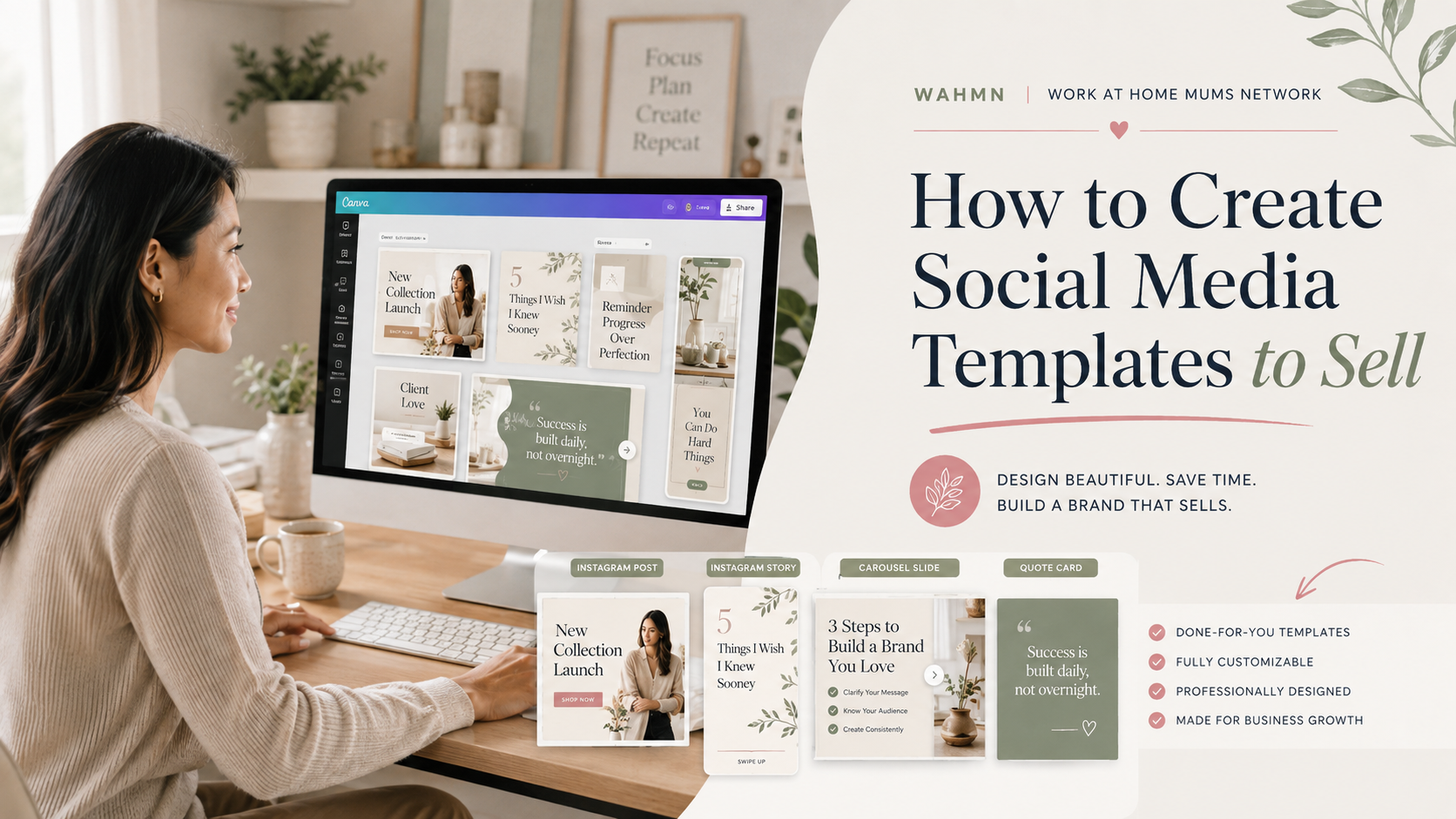
When you learn how to create social media templates to sell, you unlock a world of passive income potential. Success in this market relies on building a professional workflow that saves your customers time while maintaining a high-end aesthetic.
Set up a reusable design system in Canva
Establishing a Canva design system is the most effective way to streamline your production. By organizing your brand assets, color palettes, and typography styles within a single project folder, you ensure consistency across every file you produce.
“Design is not just what it looks like and feels like. Design is how it works.”
Select complementary fonts, colors, graphics, and image treatments
Effective social media template design requires a balance between style and utility. Choose a font pairing that is easy to read on small screens and select a color palette that feels cohesive yet versatile enough for different brand identities.
Incorporate high-quality graphics and consistent image treatments to give your work a polished look. When your elements work together harmoniously, your customers can easily swap in their own photos without breaking the visual flow of the design.
Design a flexible layout with clear text hierarchy and intentional spacing
Your goal is to build reusable layouts that adapt to various content needs. Use a clear text hierarchy to guide the viewer’s eye, ensuring that headlines stand out while body text remains legible.
Intentional spacing is the secret to a professional finish. By using consistent margins and padding, you create a sense of balance that makes your templates look expensive and well-crafted.
Create variations without making the collection feel repetitive
To keep your shop fresh, offer a variety of layouts within a single bundle. You can achieve this by changing the placement of images or adjusting the text alignment while keeping the core design elements consistent.
This approach allows your customers to mix and match different posts. They will appreciate the ability to create a diverse feed that still feels like a unified brand.
Test every template for readability on mobile screens
Because most users consume content on their phones, you must prioritize mobile-friendly templates. Always preview your designs on a mobile device to ensure that your template typography is large enough to read at a glance.
Check that your buttons, icons, and text boxes do not look cluttered on smaller displays. A template that looks great on a desktop but fails on a phone will lead to frustrated customers and poor reviews.
Make Templates Easy for Customers to Customize
Your success as a digital creator depends on how easily your customers can personalize their purchases. When you offer customizable social media templates, you provide a bridge between professional design and user-friendly execution. A smooth experience ensures that buyers return to your shop for future needs.
Use editable text, colors, images, and layout components
To create high-quality editable Canva templates, you must ensure every element is accessible. Use standard font pairings that are available in the free version of design software to avoid licensing issues. Group related elements together so that users can move entire sections without breaking the layout. Pinterest buyers want their own sizes and styles, and creating a Pinterest template pack to sell covers that pack on its own.
- Keep color palettes consistent across all pages.
- Use clear, descriptive labels for layers.
- Ensure text boxes are wide enough for longer headlines.
Keep instructions simple for customers with limited design experience
Many of your buyers may not be professional designers. Providing clear customer template instructions is essential for reducing support requests and increasing satisfaction. Include a simple PDF guide that explains how to open the link, save a copy, and export the final files.
Build replaceable image areas and adaptable content prompts
Use frame elements to create “drag-and-drop” zones for photos. This allows users to insert their own branding effortlessly. Additionally, include placeholder text that acts as a prompt, guiding the user on what type of content works best in each specific section.
Protect the design quality while allowing meaningful customization
You want to encourage design customization without letting the user ruin the aesthetic balance. Lock background elements that should not be moved, such as decorative borders or brand logos. This keeps the core structure intact while giving the user freedom to change colors and text.
Check links, permissions, and edit access before delivery
The final step in digital product delivery is verifying that your files work perfectly. Always double-check your template edit access settings to ensure the link is set to “Template Link” rather than “Edit Link.” If you provide an edit link, customers might accidentally change your master file, which creates unnecessary stress for both parties.
Expand the Product Line With Printable Checklist Templates
Adding printable checklists to your digital shop is a smart way to diversify your income. Learning how to make printable checklists to sell allows you to reach customers who value organization and efficiency in their daily lives. These assets are highly sought after because they provide immediate utility for both personal and professional projects.
Choose practical checklist topics with clear buyer value
Focus on themes that solve specific pain points for your target audience. Whether it is a wedding planning timeline, a weekly meal prep guide, or a business content calendar, your topics should offer tangible results. When you solve a problem, your customers are much more likely to return for future purchases.
Apply printable checklist design tips for home and office printing
When designing, keep in mind that your customers will likely print these at home. Use standard letter-size dimensions and ensure your color palette remains legible in black and white. Following these printable checklist design tips ensures that your files look professional on any standard office printer. Checklists are the easiest second product line for the same buyer, and making printable checklists to sell uses almost the same production steps.
Use a DIY checklist creation guide to organize tasks and sections
A structured DIY checklist creation guide helps you group related tasks logically. Start by outlining the main categories, then break them down into actionable steps. This organization makes your customizable checklist templates much easier for users to navigate and complete.
Balance writing space, visual hierarchy, margins, and checkbox placement
Effective design relies on the balance of white space and functional elements. Ensure there is enough room for users to write comfortably next to each checkbox. Use a clear visual hierarchy with bold headings to guide the eye through the document, and always maintain generous margins to prevent text from being cut off during printing.
Connect customizable checklist templates to related social media products
You can increase your average order value by bundling these items with your existing digital assets. For example, offer a social media content planner alongside a checklist for launching a new product. This strategy creates a cohesive experience that keeps your brand top-of-mind for your customers.
| Category | Primary Benefit | Target Audience |
|---|---|---|
| Business Planning | Increased Productivity | Small Business Owners |
| Home Management | Reduced Stress | Busy Parents |
| Event Coordination | Task Clarity | Event Planners |
| Content Strategy | Consistent Posting | Social Media Creators |
By offering these checklist printable products, you provide a versatile solution that fits perfectly into any busy schedule. Start small, test different topics, and watch how these simple tools help grow your overall shop revenue.
Prepare Professional Files, Previews, and Customer Instructions
Success in the digital marketplace depends on how well you package your creative work. When you focus on selling printable resources, the quality of your delivery determines your reputation and long-term growth.
Export Canva templates, PDFs, PNGs, and other appropriate file formats
Providing the right file types ensures your customers can use your work immediately. For Canva template delivery, always provide a direct link to the master design file. You should also include high-resolution PDFs for printing and PNGs for quick social media sharing.
Organize download folders so buyers can find every included asset
A cluttered folder frustrates users and leads to negative reviews. Keep your digital product files organized by using clear, descriptive naming conventions for every subfolder. A logical structure helps buyers locate specific assets without confusion.
- Main Folder: Contains the primary product files.
- Bonus Assets: Includes extra graphics or icons.
- Instructions: Holds your helpful guide and licensing terms.
Create product mockups that show the templates in realistic use
Visuals are essential for convincing customers to buy. Use product mockups to demonstrate how your designs look on a smartphone, tablet, or printed paper. These images help buyers visualize the final result in their own daily lives.
Write a clear access guide for digital products
Your customer access guide acts as a bridge between the purchase and the final product. Keep the language friendly and simple, especially for those using customizable checklist templates for the first time. Include step-by-step instructions on how to open, edit, and save their new files.
Review file quality, spelling, links, and licensing details before publishing
Before you hit the publish button, perform a final audit of your work. Check every link to ensure it points to the correct Canva template and verify that all spelling is accurate. Taking this extra time protects your brand and ensures a smooth experience for every customer.
Price and Package Digital Templates for Stronger Sales
Setting the right price for your digital assets is the secret to building a sustainable online business. Your digital template pricing strategy should reflect the time you invested and the specific problems your designs solve for the buyer.
Set prices based on value, scope, niche, and customization potential
When determining your rates, consider the depth of your offering. A niche-specific pack for real estate agents often commands a higher price than a generic social media set because it addresses specialized professional needs.
Evaluate how much time a customer saves by using your files. If your templates offer high customization potential, you provide more utility, which justifies a premium price point.
Use tiered offers for individual templates, bundles, and commercial licenses
Offering choices helps you capture different segments of your audience. By implementing template bundle pricing, you encourage customers to spend more at once, which effectively increases your average order value.
Consider the following structure to organize your shop:
| Product Tier | Target Audience | Value Proposition |
|---|---|---|
| Single Template | Budget-conscious buyers | Quick, low-cost solution |
| Template Bundle | Small business owners | Cohesive, time-saving kit |
| Commercial License | Freelancers/Agencies | Rights for client work |
Providing commercial template licenses is a smart way to attract professional users. This allows them to use your designs for their own clients while you maintain ownership of the original assets.
Build upsells with matching captions, content calendars, and checklists
You can boost your revenue by offering complementary products at checkout. Using content calendar upsells provides extra value by helping buyers plan their strategy alongside their visual assets.
Effective checklist sales tactics involve creating simple, printable guides that help users implement your templates. When a customer buys a set of Instagram posts, offering a matching content checklist creates a seamless experience that feels like a complete solution.
Use introductory offers without weakening the product’s perceived value
Launch discounts can generate early momentum for your shop. However, avoid permanent deep discounts, as these can make your work seem less valuable over time.
Instead, frame your introductory pricing as a limited-time reward for early adopters. This creates urgency without damaging the long-term reputation of your brand.
Write Listings That Attract the Right Template Buyers
Your product listing is the digital storefront that turns casual browsers into loyal customers. A well-crafted social media template listing does more than just describe a file; it builds trust and sets clear expectations for the buyer.
Place buyer-focused keywords in titles, descriptions, and tags
To reach your target audience, you must use buyer-focused keywords that reflect what people are actually searching for. Incorporating these terms into your titles and tags is a fundamental part of Etsy SEO for templates and other marketplace strategies.
Think about the specific problems your customers are trying to solve. Use descriptive phrases that highlight the niche, such as “real estate Instagram kit” or “minimalist coaching templates,” rather than generic labels.
Explain exactly what the customer receives and how the files work
Clarity is the cornerstone of effective digital product descriptions. You should clearly outline every asset included in the purchase, such as the number of templates, specific file types, and any bonus materials like instruction guides.
Explain the delivery process so the buyer knows exactly what to expect after checkout. For instance, mention that they will receive a PDF link to access their Canva templates instantly.
Show use cases, included formats, dimensions, and editing requirements
Providing concrete template use cases helps buyers visualize how the product fits into their daily workflow. Whether they are small business owners or content creators, they need to know if the dimensions match their specific platform requirements.
- Formats: Clearly list if files are provided as Canva links, Photoshop PSDs, or PDF documents.
- Dimensions: Specify pixel sizes for Instagram Stories, Reels, or Pinterest pins.
- Editing: State clearly that a free or Pro Canva account is required for customization.
Address common purchase concerns without making unsupported claims
Transparency prevents frustration and reduces the number of refund requests. Be honest about what the templates can and cannot do, avoiding claims that suggest the product will guarantee viral success or specific follower growth.
Instead, focus on the practical benefits of your design. Emphasize how much time the user will save by using your pre-made layouts compared to starting from scratch.
Use persuasive previews that demonstrate the product’s real benefits
High-quality, persuasive product previews are essential for converting interest into a sale. Use your mockup images to show the templates in action with professional photography and placeholder text.
These visuals should highlight the flexibility of your designs. By showing different color palettes or font combinations, you help the customer see how easily they can adapt the templates to match their own unique brand identity.
Launch and Promote Your Social Media Template Shop
Launching your social media template shop is the final step in turning your creative designs into a sustainable income stream. A successful debut requires more than just uploading files; it demands a clear strategy to attract your first wave of customers. By focusing on the right platforms and promotional tactics, you can build momentum from day one.
Select a sales platform such as Etsy, Creative Market, or a personal website
Choosing the right home for your business depends on your technical comfort and marketing goals. Many creators start as an Etsy digital products seller because the platform already attracts millions of shoppers looking for creative assets. Alternatively, becoming a Creative Market seller offers a more design-focused audience that often values premium, high-end aesthetics.
If you prefer full control over your branding and customer data, building a personal website is a smart long-term move. You can use platforms like Shopify or Squarespace to host your files. Each option has unique benefits, so weigh the platform fees against the potential reach of your target market.
Create launch content that demonstrates the templates in action
Static images are rarely enough to convince a buyer of your product’s value. You must show how your templates solve real problems in a live environment. Create mockups that feature your designs inside a phone or tablet screen to help customers visualize the final result.
Video content is particularly effective for showing the ease of editing. Record a quick screen-share of yourself dragging and dropping elements in Canva. This builds immediate trust and proves that your templates are user-friendly for beginners.
Use Pinterest, Instagram, email marketing, and short-form video to reach buyers
Diversifying your traffic sources is essential for long-term growth. Pinterest marketing is a powerful tool for driving evergreen traffic, as your pins can remain discoverable for months. Meanwhile, Instagram template promotion allows you to engage directly with your community through stories and feed posts.
Do not overlook the power of email marketing for templates to nurture your leads. Sending a launch announcement to a dedicated list often results in higher conversion rates than social media alone. Finally, leverage short-form video marketing on platforms like TikTok or Reels to reach new audiences through viral discovery.
Repurpose one product into multiple promotional posts
You do not need to create unique content for every single post. Take one template bundle and break it down into several formats:
- A carousel post showing “before and after” transformations.
- A short video tutorial highlighting one specific feature.
- A static graphic featuring a testimonial or a “how-to” tip.
- A Pinterest pin linking directly to your shop listing.
Collect early feedback and improve unclear or underperforming listings
Your first few sales provide the most valuable data you will ever receive. Pay close attention to customer questions or common points of confusion. If buyers frequently ask how to change a specific color or font, update your instructions or listing description to clarify the process.
Treat your shop as a living project that evolves with your audience. By refining your listings based on real feedback, you ensure that your shop remains competitive and helpful. Consistent improvements will eventually lead to higher conversion rates and happier customers.
Use Checklist Selling Strategies to Grow Revenue
Mastering effective checklist selling strategies allows you to scale your digital product income significantly. While many creators focus solely on social media templates, adding simple, actionable lists can create a steady stream of passive income. By diversifying your offerings, you protect your business from market fluctuations and appeal to a wider audience.
Apply printable checklist monetization ideas beyond one-time downloads
You can move past the single-purchase model by creating marketable checklists that provide ongoing value. Instead of selling a static file, consider offering a subscription model where users receive new lists every month. These printable checklist monetization ideas help turn one-time buyers into loyal, recurring customers who rely on your brand for organization.
Sell themed checklist collections for business, home, events, and content planning
Organizing your products into cohesive checklist collections makes it easier for customers to find exactly what they need. A bundle focused on wedding planning, for example, can include everything from guest list trackers to vendor contact sheets. By grouping these items, you solve multiple problems for the buyer at once, which increases the perceived value of your shop.
Offer seasonal updates, memberships, and related printable resources
The secret to selling printable resources long-term is keeping your content fresh and relevant. You might launch printable product memberships that grant access to a library of seasonal checklists, such as holiday cleaning guides or back-to-school planners. Providing these updates ensures that your customers return to your shop throughout the year.
Use bundles and cross-sells to increase average order value
Effective checklist sales tactics often involve pairing your lists with existing social media templates. When a customer buys a content calendar template, suggest a matching “Content Workflow Checklist” as an add-on at checkout. This simple cross-sell strategy encourages shoppers to spend more while receiving a more complete solution for their business needs.
Track views, conversion rates, repeat purchases, and customer requests
Data is your best friend when you want to optimize your shop performance. You should monitor how specific items perform to understand what your audience truly values. The following table outlines the key metrics you should track to ensure your products remain competitive.
| Metric | Why It Matters | Actionable Insight |
|---|---|---|
| Conversion Rate | Shows if your listing copy works. | Update images if rates are low. |
| Repeat Purchases | Indicates brand loyalty. | Send thank-you coupons to buyers. |
| Customer Requests | Reveals missing market needs. | Create new products based on feedback. |
Refresh products based on search demand and sales data
Even the best products need a refresh to stay relevant in a changing market. Use your sales data to identify which checklists are trending and which are gathering dust. If a specific topic sees high search volume, consider updating the design or adding new sections to keep the product fresh and highly desirable for new visitors.
Conclusion
Success in the digital marketplace requires more than just creative design skills. You must understand how to create social media templates to sell by focusing on the specific pain points of your target audience. When you prioritize solving real problems for coaches or small business owners, your products become essential tools rather than simple graphics.
A sustainable social media template business relies on a blend of strategic planning and consistent refinement. By combining your design work with practical printable resources, you provide extra value that keeps customers coming back. This multi-faceted approach helps you build a loyal following on platforms like Etsy or Creative Market.
Selling digital products is a journey of constant learning and adaptation. Use your sales data to identify which bundles perform best and where you can improve your listings. Keep your eyes on market trends to ensure your offerings remain relevant and high-performing. Your commitment to quality and customer satisfaction will turn your creative passion into a reliable source of income.
Templates sell on visibility more than on design, and Pinterest is where most of that traffic comes from. Pinterest Profit System covers that traffic side, and Business Launcher covers the shop, pricing and launch around it.
FAQ
Where is the best place to list my digital templates for sale?
Do I need a professional design degree to start creating marketable checklists?
What are some essential printable checklist design tips for a professional look?
How to make printable checklists to sell alongside social media templates?
What are the best checklist selling strategies to increase my shop’s revenue?
Can you suggest some printable checklist monetization ideas beyond one-time sales?
How do I ensure customers can actually use the files I send them?
Which niches are currently the most profitable for social media and checklist templates?
Keep reading on WAHMN
More articles in this category, browse the full article library, or explore our business tools and learning paths.