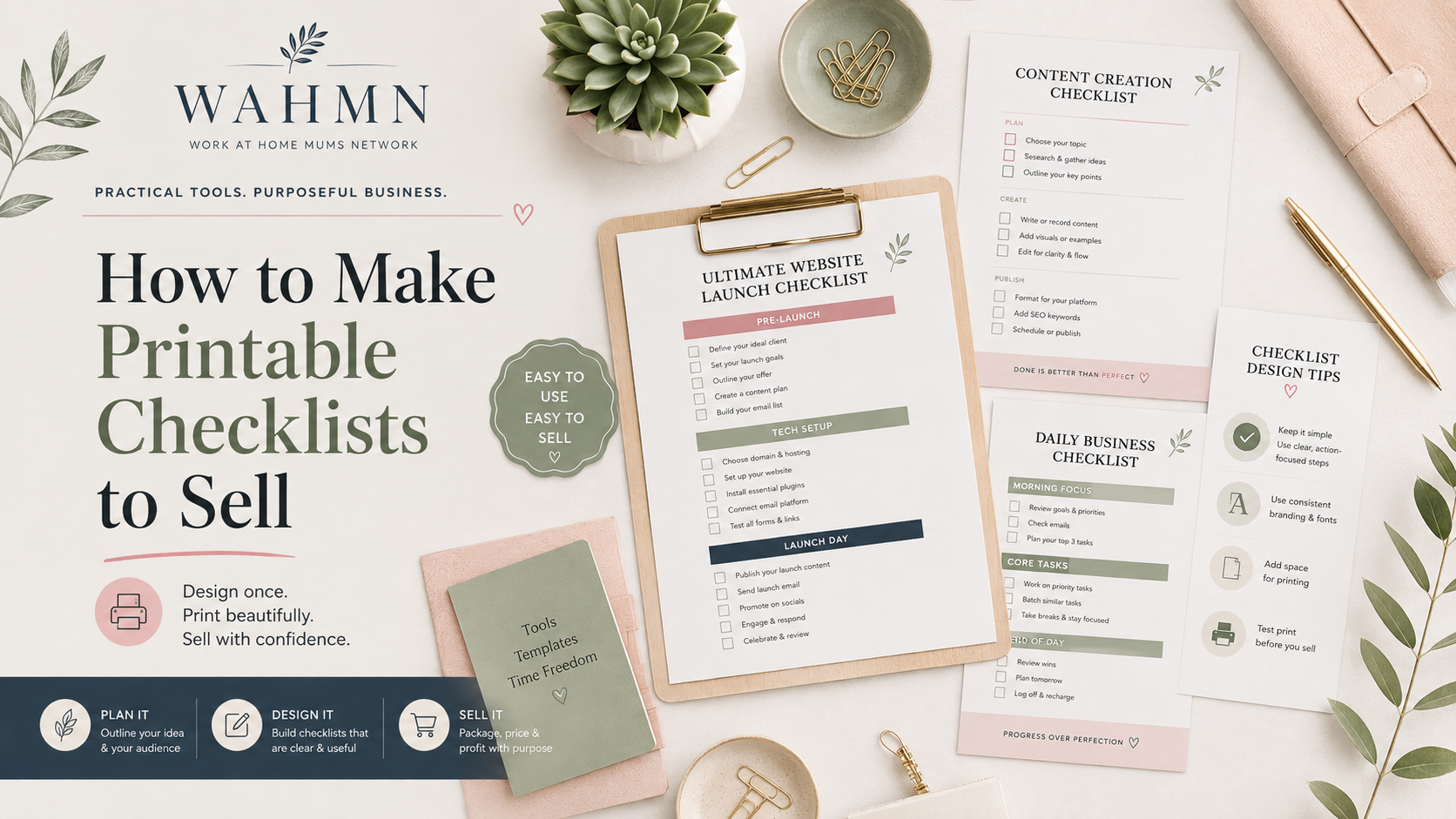
How to Make Printable Checklists to Sell
In this article
- Choose a Profitable Printable Checklist Niche
- Plan Printable Checklist Templates Buyers Will Use
- Design Printable Checklists for Clarity and Function
- Use Tools to Create and Package Sellable Checklists
- Build a Printable Checklist Product Buyers Trust
- Price and List Your Printable Downloads
- Choose Where to Sell Printable Checklists
- Market Checklist Templates and Grow Sales
- Conclusion
- FAQ
Some of the links below are affiliate links. If you buy through one, I may earn a commission at no extra cost to you. As an Amazon Associate I earn from qualifying purchases.
Creating digital products offers a fantastic way to build a passive income stream from your home. Many people search for organized solutions to manage their busy lives, and you can provide exactly what they need. Learning how to make printable checklists to sell is a smart move for any creative entrepreneur.
The United States market loves convenience. By designing files formatted for standard 8.5 x 11-inch paper, you ensure your customers can easily print them using a basic home printer. Whether you use platforms like Etsy or your own website, the potential for growth remains high.
This guide walks you through every step of the journey. We will cover finding a profitable niche, designing beautiful layouts, setting the right price, and marketing your work effectively. You will soon discover that turning your ideas into valuable digital assets is both rewarding and fun.
Key Takeaways
- Identify high-demand niches that solve specific organizational problems for users.
- Design professional layouts using tools like Canva or Adobe Illustrator for U.S. Letter size.
- Set competitive prices based on market research and the value provided to the customer.
- Utilize popular e-commerce platforms to reach your target audience efficiently.
- Implement feedback loops to improve your product quality and increase repeat sales.
Choose a Profitable Printable Checklist Niche
Your journey into selling digital goods begins by identifying the specific problems your audience faces daily. When you focus on providing practical solutions, you create value that customers are eager to purchase. High-quality printable checklist templates serve as essential tools for busy individuals looking to regain control over their schedules.
Research everyday problems buyers want to solve
Start by observing the common pain points in American households and workplaces. People often struggle with managing recurring tasks like weekly grocery shopping, deep cleaning schedules, or project management at the office.
Think about your own daily frustrations. If you find yourself forgetting important steps in a routine, others likely share that same struggle. By addressing these gaps, you can design printable checklist templates that turn chaos into organized, actionable steps.
Compare broad, seasonal, and specialized checklist niches
Choosing the right scope for your shop is vital for long-term growth. You might consider the following categories to balance your product offerings:
- Broad niches: These cover universal needs like daily planners or general chore lists that appeal to a wide audience.
- Seasonal niches: These focus on time-sensitive events such as holiday gift tracking, summer vacation packing, or back-to-school preparation.
- Specialized niches: These target specific groups, such as medical students tracking study hours or new parents managing baby care routines.
Define the ideal customer and their use case
Success relies on knowing exactly who you are helping. A student preparing for finals has very different needs than a professional project manager coordinating a team launch.
Define your customer by their specific use case. Ask yourself: “Where will they use this?” and “What is the desired outcome?” When you tailor your language and design to a specific person, your products become much more attractive.
Validate demand with Etsy, Pinterest, Google Trends, and competitor research
Before you commit to a design, verify that people are actually searching for your idea. Use Google Trends to see if interest in a topic is rising or stable throughout the year.
Check Etsy and Pinterest to see what is currently trending in the market. If you see many successful shops selling similar printable checklist templates, it is a strong sign of healthy demand. Use this data to refine your unique angle and stand out from the competition.
Plan Printable Checklist Templates Buyers Will Use
Creating a successful printable starts with understanding how your customers move through their day. When you design printable checklists, you must prioritize the user experience over complex graphics. A well-planned template acts as a guide, helping buyers complete tasks with confidence and ease.
Select a practical checklist format
The format you choose should match the specific problem your customer is trying to solve. For instance, a daily planner works best for busy parents, while a project-based tracker is ideal for home renovations. Choosing the right structure ensures your product feels like a natural fit for their routine.
| Checklist Type | Best Use Case | Primary Benefit |
|---|---|---|
| Daily Routine | Morning or evening habits | Builds consistency |
| Project Tracker | Home or work tasks | Tracks progress |
| Inventory List | Shopping or pantry | Saves time/money |
Separate one-time tasks from recurring routines
Users often feel overwhelmed when they mix long-term goals with daily chores. You should separate one-time tasks from recurring habits to keep the page clean. This distinction helps the buyer focus on what needs immediate attention versus what happens every week.
Organize tasks in a logical completion order
The flow of your checklist should mirror the actual steps a person takes. If you are creating a cleaning guide, start with high-level tasks like decluttering before moving to specific chores like dusting. A logical sequence reduces mental fatigue and makes the process feel faster.
Write concise, action-focused checklist items
Your language should be direct and easy to scan at a glance. Avoid long sentences that clutter the page and distract the user from their goal.
Use clear verbs and specific instructions
Start every item with a strong verb to encourage immediate action. Instead of writing “the kitchen should be cleaned,” use “wipe down kitchen counters.” This clear communication helps the user know exactly what to do without guessing.
Leave enough space for notes and custom tasks
No two users have the exact same needs, so flexibility is key. Always include a dedicated section for notes or blank lines for custom tasks. This small addition allows your customers to personalize their experience and makes your product more versatile.
Build product bundles around related customer needs
When you design printable checklists, consider how different templates can work together. You might bundle a “Weekly Meal Planner” with a “Grocery Inventory List” to provide a complete solution. Bundling related items increases the perceived value and encourages customers to purchase your entire collection.
Design Printable Checklists for Clarity and Function
Great design is the secret ingredient when you want to sell printable products that customers love. A well-crafted checklist does more than look good; it provides a seamless experience that encourages users to return to your shop for more.
Choose readable fonts and an accessible text size
Select clean, sans-serif fonts for your checklists to ensure maximum readability. Avoid overly decorative scripts that become difficult to read when printed at smaller sizes.
Aim for a font size of at least 10 to 12 points for body text. This ensures that your customers can easily read their tasks without straining their eyes.
Create a visual hierarchy with headings, sections, and checkboxes
Use bold headings and clear section breaks to guide the user through the document. A logical flow helps the buyer process information quickly and efficiently.
Place checkboxes consistently to the left of each task. This creates a rhythmic pattern that makes checking off items feel satisfying and intuitive.
Balance white space, margins, and printable content
White space is your best friend in digital design. It prevents the page from feeling cluttered and gives the user room to write notes if needed.
Always leave at least a half-inch margin on all sides. This prevents text from being cut off by standard home printers.
Use color strategically for both style and ink-friendly printing
Color adds personality, but it should never interfere with the printing process. Use soft, muted tones for backgrounds or headers to keep the design professional.
Remember that many customers prefer to save on ink costs. When you sell printable products, offering a version with minimal color is a major selling point.
Make the design usable in black and white
Test your designs by printing them in grayscale. If the text remains sharp and the checkboxes are clearly visible, your design is ready for the market.
High contrast between your text and the background is essential. Avoid light gray fonts that might disappear on a standard home printer.
Maintain consistent alignment, spacing, and visual branding
Consistency builds trust with your audience. Use the same font families, color palettes, and spacing rules across all your templates to create a cohesive brand identity.
Align your elements using a grid system to ensure everything looks polished. A professional appearance increases the perceived value of your digital downloads.
Design for home printers and standard U.S. Paper sizes
Always set your document dimensions to 8.5 x 11 inches, which is the standard U.S. Letter size. Designing for this format ensures that your files are ready to print immediately for your target audience.
By focusing on these technical details, you make it much easier to sell printable products that satisfy customers across the United States. A reliable, printer-ready file is the foundation of a successful digital shop.
Use Tools to Create and Package Sellable Checklists
Mastering your design workflow is essential for anyone looking to create selling checklists efficiently. By choosing the right software and establishing a consistent process, you can produce professional results that satisfy your customers every time.
Choose between Canva, Adobe Illustrator, Google Docs, and Microsoft Word
Selecting the right platform depends on your design skills and the complexity of your project. While some tools offer advanced features, others prioritize speed and ease of use.
| Software | Best For | Learning Curve |
|---|---|---|
| Canva | Beginners & Speed | Low |
| Adobe Illustrator | Professional Design | High |
| Google Docs/Word | Text-Heavy Lists | Low |
Set up a U.S. Letter document with correct margins and dimensions
Standardizing your document size is a critical step for the United States market. Always set your canvas to 8.5 x 11 inches to ensure compatibility with home printers.
Remember to include at least a 0.5-inch margin on all sides. This prevents important text or checkboxes from being cut off during the printing process.
Create reusable design elements and editable master files
Efficiency comes from building a library of reusable assets. Save your headers, icons, and checkbox styles as separate files or templates.
By maintaining a clean master file, you can quickly update your content without redesigning the entire layout. This practice is vital when you want to create selling checklists across different themes or categories.
Export high-quality PDFs without unwanted borders or formatting changes
When your design is ready, export it as a high-resolution PDF. Ensure you select the “Print” quality setting to maintain crisp lines and clear text.
Always check your file for stray borders or misaligned elements before finalizing. A clean, professional PDF file builds immediate trust with your buyers.
Add optional editable versions without making the product confusing
Some customers prefer to type their tasks directly into the document. You can provide an editable version using fillable PDF fields or a link to a template.
Keep these files separate from your primary print-ready PDF. Clearly label them so your customers know exactly which file to open for their specific needs.
Organize files, folders, and version names for efficient checklist creation
A messy file system leads to lost work and frustration. Use a consistent naming convention, such as “Product_Name_Version_Date,” to keep your workspace tidy.
Store your working files in a dedicated folder structure. This organized approach allows you to create selling checklists faster and makes future updates a breeze.
Build a Printable Checklist Product Buyers Trust
A truly profitable checklist design is one that functions perfectly for every user, every time. When customers purchase your digital files, they expect a seamless experience that saves them time and effort. Providing high-quality, reliable assets builds the trust necessary to turn one-time buyers into loyal, repeat customers. Forms your buyer can type into command a higher price, and creating fillable PDFs to sell covers making them properly.
Include the right file formats and page variations
Offering versatility is a hallmark of a professional seller. Most users prefer standard PDF files because they maintain formatting across different devices. Consider providing multiple sizes, such as US Letter and A4, to accommodate international printing standards and various planner systems.
Create a simple printing and usage instruction page
Do not assume your customers know how to adjust their printer settings. Include a dedicated page that explains how to select “Actual Size” or “Fit to Page” for the best results. Clear, friendly instructions significantly reduce the number of support emails and potential refund requests.
Package color, black-and-white, and different size versions thoughtfully
Organize your files into clearly labeled folders so the download process feels intuitive. Providing a black-and-white version is a thoughtful touch for users who want to save on ink costs. This level of care demonstrates that you value the customer’s budget and printing preferences.
Protect the customer experience with accurate, error-free files
Your reputation relies on the precision of your work. A profitable checklist design must be polished and professional to stand out in a crowded marketplace.
Check spelling, alignment, checkbox placement, and page breaks
Before you finalize your files, perform a rigorous quality check. Ensure that:
- All text is free of typos and grammatical errors.
- Checkboxes are perfectly aligned with their corresponding tasks.
- Page breaks do not cut off important sections or lists.
- Margins are consistent to prevent text from being clipped during printing.
Print-test every page on a standard home printer
Never skip the physical test. Printing your files on a standard home printer reveals issues that are invisible on a computer screen. This step ensures that your design looks exactly as intended in the real world.
Decide whether to offer personal-use, commercial-use, or editable licenses
Clearly define what your customers can do with your files. Whether you choose to restrict usage to personal projects or allow commercial resale, transparency is key. State your licensing terms clearly within the product description to avoid any confusion.
Prepare consistent preview images and product mockups
Your listing images should accurately represent the final product. Use high-quality mockups to show how the checklist looks when printed and in use. Visual consistency helps buyers feel confident that they are purchasing a high-value, professional tool.
Price and List Your Printable Downloads
You can successfully market checklist templates by mastering the art of pricing and product presentation. When you approach your shop with a clear strategy, you build trust with your audience and increase your chances of making consistent sales.
Set prices based on value, complexity, and bundle size
Pricing your work requires looking at the perceived value rather than just the time spent creating it. A highly specialized checklist that solves a major pain point often commands a higher price than a generic daily task list.
Consider the following pricing tiers to help you structure your shop effectively:
| Product Type | Complexity Level | Suggested Pricing Strategy |
|---|---|---|
| Single Checklist | Low | Entry-level impulse buy |
| Themed Collection | Medium | Mid-range value bundle |
| Comprehensive Planner | High | Premium price point |
Choose between single checklists, collections, and larger planning bundles
Offering variety allows you to capture different types of buyers. Some customers want a quick, affordable solution, while others prefer a comprehensive system that covers all their needs at once.
Bundling related items is a powerful way to increase your average order value. By grouping a cleaning checklist with a chore chart, you provide a more complete solution that feels like a better deal to the customer.
Write product titles using buyer-focused search phrases
Your titles should be clear and descriptive to help shoppers find exactly what they need. Use terms that your target audience is likely typing into search bars, such as “weekly meal planner” or “moving house checklist.”
Avoid overly creative or vague titles that might confuse potential buyers. Clarity always wins when you want to market checklist templates effectively.
Create descriptions that explain exactly what customers receive
A great description acts as your virtual salesperson. It should answer every question a buyer might have before they decide to click the purchase button.
State page sizes, file types, quantity, and printing requirements
Always list the specific dimensions, such as U.S. Letter or A4, so customers know if the file fits their printer. Mention the file format, typically a PDF, and specify if the item is meant for home printing or professional services.
Explain digital delivery and clarify that no physical item ships
It is vital to state clearly that this is a digital download. Use bold text to remind customers that no physical product will be mailed to their home address to prevent any confusion.
Use relevant tags and categories without keyword stuffing
Select tags that accurately describe the utility and aesthetic of your product. Focus on how the item helps the user, such as “productivity tool” or “home organization,” rather than just listing generic terms.
Show the product in realistic listing images
Visuals are the most important factor in a buyer’s decision. Use high-quality mockups that show the checklist in a real-world setting, such as on a desk or clipped to a clipboard. Seeing the product in action helps customers visualize how it will improve their daily routine.
Choose Where to Sell Printable Checklists
Selecting the right digital storefront is a critical step when you decide to sell printable downloads. Each platform offers unique benefits depending on whether you prioritize built-in traffic or total creative control over your brand.
Compare Etsy, Shopify, Payhip, and Gumroad
Choosing a platform often comes down to your current business stage. Some creators prefer established marketplaces, while others want a standalone website to build a dedicated following.
| Platform | Best For | Key Advantage |
|---|---|---|
| Etsy | Beginners | Massive built-in traffic |
| Shopify | Scaling Brands | Full design control |
| Payhip | Simplicity | Easy digital delivery |
| Gumroad | Creators | Fast setup process |
Evaluate marketplace traffic, fees, branding, and control
Etsy provides a massive audience actively searching for items, which helps you sell printable downloads without needing an existing social media following. However, you must adhere to their specific branding rules and pay listing fees.
Platforms like Shopify offer complete branding freedom, allowing you to design a unique storefront. While you retain more control, you are responsible for driving your own traffic through marketing efforts.
Set up digital delivery and customer access
Reliable digital delivery is essential for a professional customer experience. Most modern platforms automatically email a secure download link to the buyer immediately after payment confirmation.
Ensure your chosen platform supports instant access so customers can use their checklists right away. This automation saves you time and reduces the need for manual file distribution.
Connect payment processing and review tax responsibilities in the United States
Connecting a secure payment processor is the next vital step. Most platforms integrate with Stripe or PayPal to handle transactions safely.
If you operate within the United States, you must review your tax responsibilities carefully. Research state-specific digital product tax laws to ensure you remain compliant as you grow your business.
Develop a consistent shop name, visual identity, and product organization
Your shop should feel like a cohesive brand rather than a random collection of files. Use a consistent color palette and professional logo across all your listing images.
Organize your products into clear categories to help visitors find exactly what they need. A well-organized shop encourages customers to browse more and increase their average order value.
Use customer reviews and feedback to improve future printable products
Customer feedback is a goldmine for long-term success. Pay close attention to reviews to identify which features buyers value most in your checklists.
Use this data to refine your designs or create new bundles that solve specific problems. Listening to your audience is the most effective way to sell printable downloads consistently over time.
Market Checklist Templates and Grow Sales
Growing your business requires a blend of creative promotion and data-driven decision-making. By focusing on a clear strategy, you can master checklist creation for profit and build a loyal customer base that returns for your latest designs.
Use Pinterest to reach people searching for practical printables
Pinterest acts as a powerful visual search engine for your target audience. Create high-quality pins that showcase your checklists in action to drive traffic directly to your shop.
Create short-form videos that demonstrate checklist use
Platforms like TikTok and Instagram Reels are perfect for showing how your products solve daily problems. Brief, engaging videos that highlight the ease of using your templates can significantly boost your brand visibility.
Build an email list with a useful free checklist
Offering a free, high-value checklist in exchange for an email address is a smart way to nurture leads. This allows you to announce new launches directly to people who already value your work.
Optimize listing images and descriptions for conversion
Your listing images should clearly show the benefits of your product. Use descriptive, keyword-rich text to help potential buyers understand exactly what they are purchasing.
Launch related products and seasonal checklist collections
Keep your shop fresh by releasing items that complement your existing catalog. Seasonal collections, such as holiday planning or back-to-school bundles, encourage repeat visits throughout the year.
Use bundles, limited-time promotions, and repeat-buyer incentives
Bundling items increases the average order value and provides more value to the customer. Limited-time discounts create a sense of urgency that often leads to faster purchasing decisions.
Track views, clicks, conversion rates, and revenue by product
Monitoring your shop analytics is essential for long-term success in checklist creation for profit. Use the following table to organize your performance data and identify which items resonate most with your audience.
| Product Name | Views | Conversion Rate | Revenue |
|---|---|---|---|
| Weekly Meal Planner | 1,200 | 3.5% | $450 |
| Moving Checklist | 850 | 2.8% | $320 |
| Cleaning Routine | 2,100 | 4.2% | $890 |
Refresh underperforming designs instead of creating products at random
If a product is not performing well, analyze the feedback and visual presentation before moving on. Updating the design or the listing copy can often turn a slow seller into a top performer.
Protect original designs and respond professionally to customer issues
Always watermark your preview images to protect your intellectual property. When customers have questions, respond with professionalism and empathy to build trust and encourage positive reviews.
Conclusion
Building a successful shop requires a blend of creativity and technical precision. Mastering how to make printable checklists to sell involves more than just design skills. It demands a deep understanding of your audience and their daily needs.
Test every file on a standard home printer to ensure your customers enjoy a seamless experience. Clear instructions and professional packaging build trust with every download. Your commitment to quality sets your brand apart in a crowded marketplace.
Growth comes from listening to your buyers and watching your sales data. Use feedback to refine your offerings and introduce seasonal collections that keep your shop fresh. You will learn how to make printable checklists to sell more effectively by staying consistent and observant.
Small adjustments to your titles or listing images often lead to better conversion rates. Explore new niches as you gain confidence in your process. Your path to building a sustainable digital business starts with that first high-quality file you upload today.
FAQ
How to make printable checklists to sell if I am a total beginner?
What are the most profitable checklist design niches for the U.S. Market?
Which software is best for checklist creation for profit?
How do I ensure my printable downloads work with standard home printers?
Where should I list my files to sell printable products effectively?
How can I market checklist templates to get more traffic to my shop?
Should I offer editable versions of my printable checklist templates?
What should I include in the product description for my printable downloads?
Keep reading on WAHMN
More articles in this category, browse the full article library, or explore our business tools and learning paths.
Printables sell on visibility far more than on design, and Pinterest supplies most of that traffic. Pinterest Profit System covers that side, and Business Launcher covers the shop, pricing and launch.