Canva Free vs. Canva Pro for Pinterest Marketing
In this article
- What is Canva and Why Use it for Pinterest?
- Key Differences Between Canva Free and Canva Pro
- Design Capabilities in Canva Free vs. Pro
- Collaboration and Team Features
- Branding Tools in Canva Pro
- Analytics and Performance Tracking
- User Experience and Support
- Use Cases: Which One is Right for You?
- Conclusion: Making the Right Choice for Pinterest
- FAQ
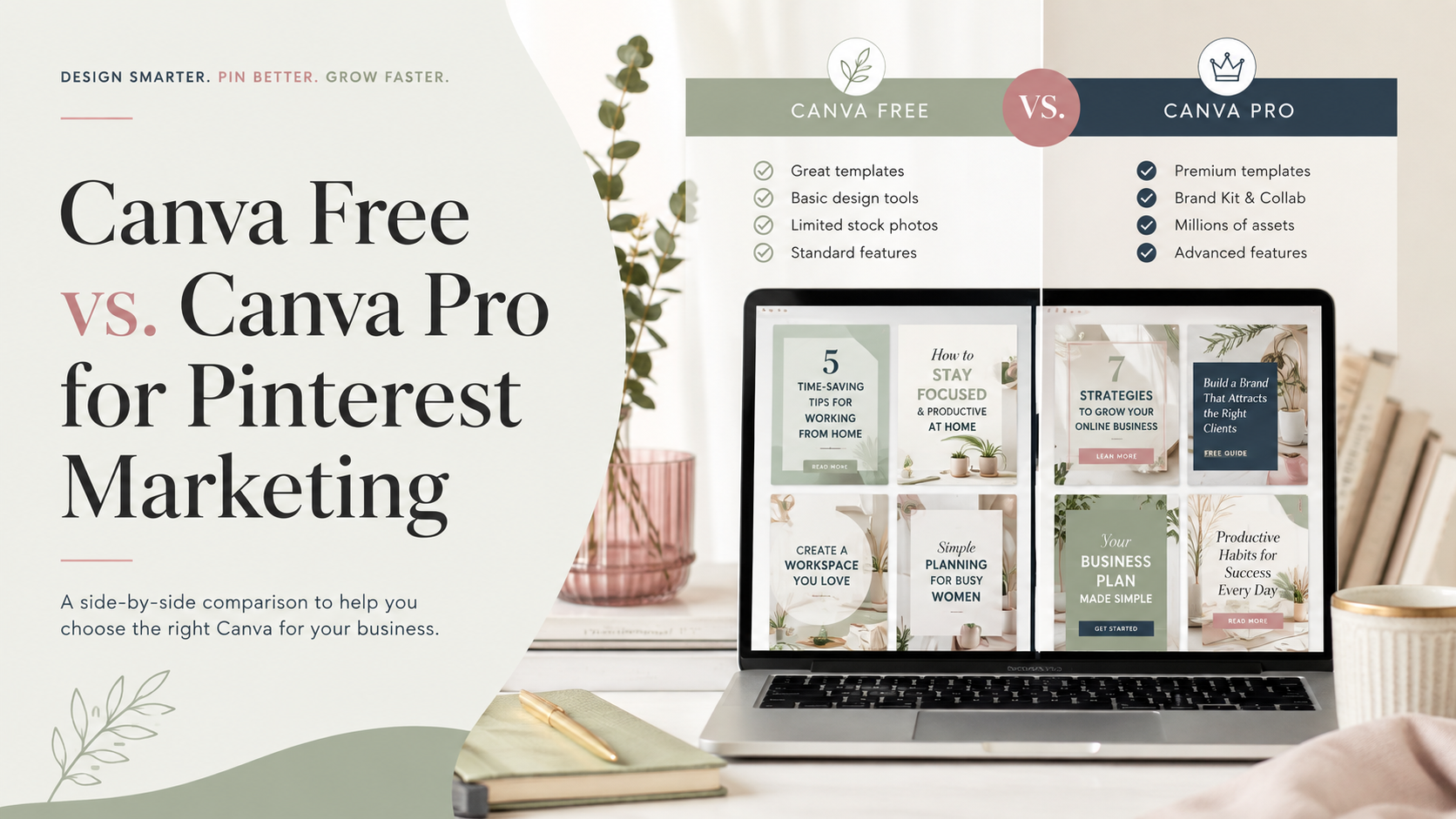
Creating eye-catching pins is essential for driving traffic to your website. Many creators struggle to decide if the basic tools are enough or if they should upgrade their subscription. Understanding the Canva Free vs Canva Pro for Pinterest debate helps you save time while maintaining a professional look.
Choosing the right plan impacts your daily workflow and brand consistency. Efficiency is key when you manage multiple boards and high-volume posting schedules. Whether you are a growing brand or a solo influencer, your design software should support your creative goals without slowing you down.
Some of the links below are affiliate links. If you buy through one, I may earn a commission at no extra cost to you.
Upgrading to Canva Pro for Pinterest offers advanced features like background removal and brand kits. These tools streamline your process, allowing you to produce high-quality graphics in seconds. Let’s explore how these options stack up to help you make the best choice for your marketing strategy.
Key Takeaways
- Identify the core differences between basic and premium design features.
- Learn how automation tools save time on daily pin creation.
- Discover if premium assets are necessary for your specific brand growth.
- Evaluate the cost-benefit ratio for small businesses and influencers.
- Improve your design workflow with professional-grade editing shortcuts.
What is Canva and Why Use it for Pinterest?
Designing professional graphics for social media does not have to be a complicated or expensive task. Canva has emerged as a leading platform that empowers users to create stunning visuals without needing advanced graphic design skills. Whether you are a small business owner or a content creator, this tool offers a streamlined way to build your digital presence.
Overview of Canva’s Features
A Canva Free account provides a surprisingly robust set of tools for those just starting their journey. You gain access to a vast library of templates, fonts, and stock elements that make design feel intuitive rather than overwhelming. These Canva Free features allow you to experiment with layouts and styles while maintaining a professional look for your brand.
Key capabilities available to all users include:
- Access to thousands of free, professionally designed templates.
- Drag-and-drop functionality for easy image and text placement.
- Basic photo editing tools to adjust brightness, contrast, and filters.
- Collaboration options to share designs with team members or clients.
The Importance of Visual Content on Pinterest
Pinterest operates as a visual discovery engine, making high-quality imagery essential for success. Users scroll through feeds looking for inspiration, meaning your pins must stand out immediately to capture attention. A well-crafted pin acts as a digital billboard that drives traffic directly to your website or blog.
By utilizing a Canva Free account, you can maintain a consistent aesthetic across your Pinterest boards. Consistency helps build brand recognition, which is vital for long-term growth on the platform. Leveraging the core Canva Free features ensures that your content remains polished and engaging, even when you are working on a tight budget.
Key Differences Between Canva Free and Canva Pro
Understanding the technical and financial differences between these two platforms is essential for any Pinterest creator. While both tiers offer powerful design capabilities, the right choice depends on your specific goals and budget constraints.
Pricing Structure and Plans
The financial commitment varies significantly between the two options. Canva Pro pricing is designed for users who need advanced tools to scale their content production, often billed on a monthly or annual basis.
If you are unsure about the investment, you can utilize a Canva Pro trial to test the premium features for a limited time. This allows you to evaluate whether the extra tools provide enough value for your specific Pinterest marketing strategy before committing to a paid plan.
Available Features and Tools
The core difference lies in the depth of the creative assets available to you. While the free version provides a solid foundation for basic design, the premium tier unlocks a vast library of resources.
Key Canva Free features include:
- Access to a limited library of stock photos and graphics.
- Basic design templates for social media posts.
- Standard collaboration tools for simple team projects.
- Five gigabytes of cloud storage for your assets.
Premium users gain access to millions of high-quality images, advanced background removal tools, and the ability to resize designs instantly. These features are particularly helpful when you need to repurpose one pin design for multiple Pinterest formats.
Export Options and File Types
Professional output is vital for maintaining high visual standards on your Pinterest boards. Both versions allow you to download files in standard formats like JPG, PNG, and PDF, which are perfect for quick uploads.
However, the premium tier offers more control over your final files. You can enjoy the following benefits:
- Transparent backgrounds for logos and complex graphics.
- Custom quality settings for high-resolution exports.
- SVG downloads for scalable vector graphics.
- Direct scheduling to social media platforms from the editor.
Choosing the right export settings ensures your pins look crisp and professional on every device. By understanding these technical distinctions, you can better align your design workflow with your long-term marketing objectives.
Design Capabilities in Canva Free vs. Pro
Designing for Pinterest is much faster when you have access to premium creative resources. Whether you are a casual creator or a professional marketer, understanding the Canva Free vs Canva Pro comparison helps you decide which tools best fit your workflow. High-quality visuals are the backbone of any successful Pinterest strategy.
Access to Templates
The free version offers a solid foundation with thousands of basic templates. However, Canva Pro benefits include exclusive access to a much larger library of professionally designed layouts. These premium templates often feature more sophisticated typography and layout structures that stand out in a crowded Pinterest feed.
Customization Options
Customization is where the paid version truly shines for busy creators. With the Pro subscription, you gain access to the Magic Resize tool, which allows you to turn one pin design into multiple formats instantly. You can also use the Background Remover to create clean, professional product shots without needing external editing software.
Image and Asset Availability
Finding the perfect image is essential for driving clicks on your pins. While the free version provides a limited selection of stock photos and graphics, the Pro library offers millions of high-resolution images, videos, and audio tracks. This vast collection ensures that your content remains fresh and unique, which is a major advantage in the Canva Free vs Canva Pro comparison.
| Feature | Canva Free | Canva Pro |
|---|---|---|
| Premium Templates | Limited | Unlimited Access |
| Background Remover | Not Available | Included |
| Stock Assets | Basic Library | Millions of Assets |
| Magic Resize | Not Available | Included |
Leveraging these Canva Pro benefits allows you to maintain a consistent visual identity across all your boards. By investing in the right tools, you save time and improve the overall aesthetic of your Pinterest presence.
Collaboration and Team Features
Managing a busy Pinterest account becomes significantly easier when your entire team can collaborate in real-time. As your content volume grows, the need for a centralized hub where designers and managers can work together becomes clear. Investing in a Canva Pro subscription allows you to move beyond solo design tasks and into a more efficient, shared production process.
How Canva Pro Enhances Teamwork
When multiple people are involved in creating, reviewing, or approving pins, communication gaps can slow down your publishing schedule. A Canva Pro subscription provides a shared workspace where team members can access the same assets, templates, and folders simultaneously. This eliminates the frustration of searching for the latest version of a file in your email inbox.
Feedback cycles become much faster when you can leave comments directly on a design. Team members can tag each other to request changes or provide approval, ensuring that every pin meets your brand standards before it goes live. This collaborative environment is essential for teams that need to maintain a high frequency of posts on Pinterest.
“Great things in business are never done by one person; they’re done by a team of people.”
Shareable Links and User Permissions
Maintaining control over your creative assets is vital for any growing business. With a Canva Pro subscription, you can generate shareable links that allow team members or external clients to view or edit designs without compromising your entire account security. You can set specific user permissions to ensure that only authorized individuals can make permanent changes to your master templates.
These granular controls help prevent accidental deletions and keep your workflow organized. Whether you are working with a remote freelancer or an in-house marketing department, you can manage access levels with ease. The following table highlights how these features compare to standard access levels.
| Feature | Canva Free | Canva Pro |
|---|---|---|
| Team Members | Limited | Up to 5 included |
| Shared Folders | Basic | Advanced/Unlimited |
| Permissions | None | Custom Roles |
| Brand Control | No | Full Access |
Branding Tools in Canva Pro
One of the most significant Canva Pro benefits is the ability to keep your brand look uniform across every pin. When you post frequently on Pinterest, maintaining a cohesive aesthetic helps your audience recognize your content instantly in a crowded feed. This consistency builds trust and encourages users to click through to your website.
Creating Brand Kits
The Brand Kit feature acts as a central hub for all your visual assets. Instead of searching for your logo or specific brand elements every time you start a new design, you can store them in one accessible location. This streamlined approach saves valuable time for busy marketers who need to produce high-quality pins daily.
By organizing your assets, you ensure that every team member uses the correct version of your logo. This eliminates the risk of using outdated or low-resolution files. It is a powerful way to maintain professional standards while scaling your Pinterest marketing efforts.
Using Custom Fonts and Color Palettes
Visual recognition relies heavily on your choice of typography and color. With these Canva Pro benefits, you can upload your own custom fonts and save specific color palettes that match your website or social media presence. This ensures that your pins always feel like a natural extension of your brand.
“Consistency is the key to building a recognizable brand identity that resonates with your audience across all digital platforms.”,
Having your brand colors saved means you never have to guess a hex code again. You can apply your signature style to any template with just a few clicks. This efficiency allows you to focus more on your strategy and less on repetitive design tasks.
| Feature | Canva Free | Canva Pro |
|---|---|---|
| Brand Kits | Limited | Unlimited |
| Custom Fonts | Not Available | Full Access |
| Color Palettes | Basic | Advanced/Saved |
Ultimately, leveraging these advanced branding tools transforms your Pinterest workflow. By reducing the time spent on manual setup, you gain more freedom to experiment with creative layouts. These Canva Pro benefits provide the structure needed to grow your brand presence effectively.
Analytics and Performance Tracking
Data-driven design is the bridge between a pretty pin and a viral sensation. While your creative vision sparks interest, the actual performance of your content depends on how well you interpret audience feedback. Using Canva Pro for Pinterest allows you to maintain a consistent visual language that makes tracking your results much easier.
How Canva Pro Supports Metrics
When you use professional design tools, you create a cohesive look that helps users recognize your brand instantly. This consistency is vital because it allows you to isolate variables when testing different pin styles. By using the Brand Kit features, you ensure that every design element remains uniform across your entire library.
Consistency is the foundation of effective testing. When your fonts, colors, and logos are standardized, you can accurately determine which layouts drive the most clicks. Canva Pro for Pinterest streamlines this process by keeping your assets organized, which lets you focus on iterating designs based on what your audience actually likes.
“Without data, you’re just another person with an opinion.”
Importance of Data in Pinterest Marketing
Pinterest is a visual search engine, and its algorithm rewards content that keeps users engaged. You must look beyond simple vanity metrics like impressions to understand what truly drives traffic to your website. Tracking click-through rates and saves provides the actionable insights needed to refine your strategy.
By pairing your design workflow with Pinterest Analytics, you can identify which specific images resonate with your target demographic. This feedback loop is essential for long-term growth. Utilizing Canva Pro for Pinterest ensures that your creative output is always aligned with the data-backed trends that keep your account growing steadily.
User Experience and Support
Your experience with a design platform often hinges on how quickly you can solve problems. When you are deep into a creative project, the last thing you want is to get stuck on a technical hurdle. A seamless interface allows you to focus on your Pinterest strategy rather than fighting with software tools.
Canva Free User Experience
For many beginners, the Canva Free account offers a surprisingly intuitive entry point into graphic design. The drag-and-drop interface is designed to be accessible, meaning you can start creating pins within minutes of signing up. Simplicity is the core strength here, as the platform avoids overwhelming users with unnecessary complexity.
However, as your marketing needs grow, you might find that troubleshooting becomes a self-guided process. Users with a Canva Free account typically rely on community forums and online help articles to resolve issues. While these resources are extensive, they require you to invest your own time to find the right answers.
Premium Support for Pro Users
Upgrading to a professional plan changes the dynamic of your support experience significantly. Pro users gain access to priority support, which is a major advantage for busy marketers who cannot afford downtime. When a technical glitch occurs, having a direct line to assistance ensures your workflow remains uninterrupted.
This level of service acts as an insurance policy for your business operations. By reducing the time spent on troubleshooting, you can dedicate more energy to high-level tasks like trend analysis and content scheduling. Efficiency is the primary benefit of this premium support structure.
| Feature | Canva Free | Canva Pro |
|---|---|---|
| Support Access | Help Center & Forums | Priority Email Support |
| Troubleshooting | Self-Service | Fast-Track Assistance |
| Learning Curve | Beginner Friendly | Advanced Tools Included |
| Response Time | Standard | Expedited |
Use Cases: Which One is Right for You?
Finding the perfect balance between cost and functionality is essential for your brand growth. Whether you are a solo creator or managing a large marketing department, your choice of design software impacts your daily workflow. Understanding your specific needs helps you decide if a premium upgrade is the right move for your Pinterest strategy.
Individual Marketers and Small Businesses
If you are just starting your Pinterest journey, the free version of Canva often provides enough tools to build a solid foundation. You can experiment with basic layouts and standard assets to see what resonates with your audience. Many creators find that starting with a Canva Pro trial is the best way to test advanced features without an immediate financial commitment.
Consider upgrading when your design volume increases or when you need to save time on repetitive tasks. If you find yourself manually removing backgrounds or resizing pins for different platforms daily, the efficiency gains of a paid plan become clear. A Canva Pro subscription is often a smart investment once your Pinterest traffic starts to drive consistent revenue for your business.
Agencies and Larger Teams
Agencies and growing teams require more than just design tools; they need systems that ensure brand consistency across every pin. When multiple people contribute to your Pinterest presence, managing assets and permissions becomes a priority. The Canva Pro pricing structure is designed to support these collaborative environments by offering centralized brand kits and team folders.
Larger teams benefit from features that streamline communication and reduce the time spent on feedback loops. By using shared workspaces, you ensure that every team member uses the correct fonts, logos, and color palettes. This level of organization is vital for maintaining a professional image as you scale your marketing efforts.
| Criteria | Individual Marketer | Agency/Team |
|---|---|---|
| Design Volume | Low to Moderate | High/Continuous |
| Branding Needs | Basic/Personal | Strict/Corporate |
| Collaboration | Minimal | Essential |
Ultimately, your decision should align with your long-term goals. Take the time to evaluate your current output and identify where you face the most friction. Whether you choose to stay with the free version or invest in a premium plan, ensure your choice supports your creative vision.
Conclusion: Making the Right Choice for Pinterest
Choosing the right design platform shapes your brand presence on Pinterest. Your decision depends on your current growth stage and your specific marketing goals.
Evaluating Your Design Needs
The Canva Free vs Canva Pro for Pinterest debate centers on your need for efficiency. Beginners often find the free version sufficient for basic pin creation. Growing brands benefit from the time-saving features found in the premium subscription.
A thorough Canva Free vs Canva Pro comparison reveals that professional tools offer better scalability. Access to brand kits and premium assets helps maintain a consistent visual identity across your profile. This consistency builds trust with your audience over time.
Strategies for Pinterest Growth
Focus on your long-term goals when picking your plan. Use the platform to test different pin styles and track what resonates with your followers. Review your performance metrics regularly to refine your approach.
Keep your designs fresh by using templates that align with current trends. High-quality visuals drive clicks and save you effort in the long run. Invest in the tools that allow you to produce professional content quickly and effectively.
FAQ
What is the main difference between Canva Free vs Canva Pro for Pinterest marketing?
Is the Canva Pro pricing worth it for a solo creator just starting on Pinterest?
Can I manage my brand identity better with Canva Pro for Pinterest?
Are there enough Canva Free features to create high-quality Pins?
How does the Canva Pro trial work if I want to test the premium tools?
Does Canva Pro for Pinterest include any scheduling tools?
Can I collaborate with a team using a Canva Free account?
Keep reading on WAHMN
More articles in this category, browse the full article library, or explore our business tools and learning paths.
The subscription only earns its keep if the pins bring traffic, which is what Pinterest Profit System covers.