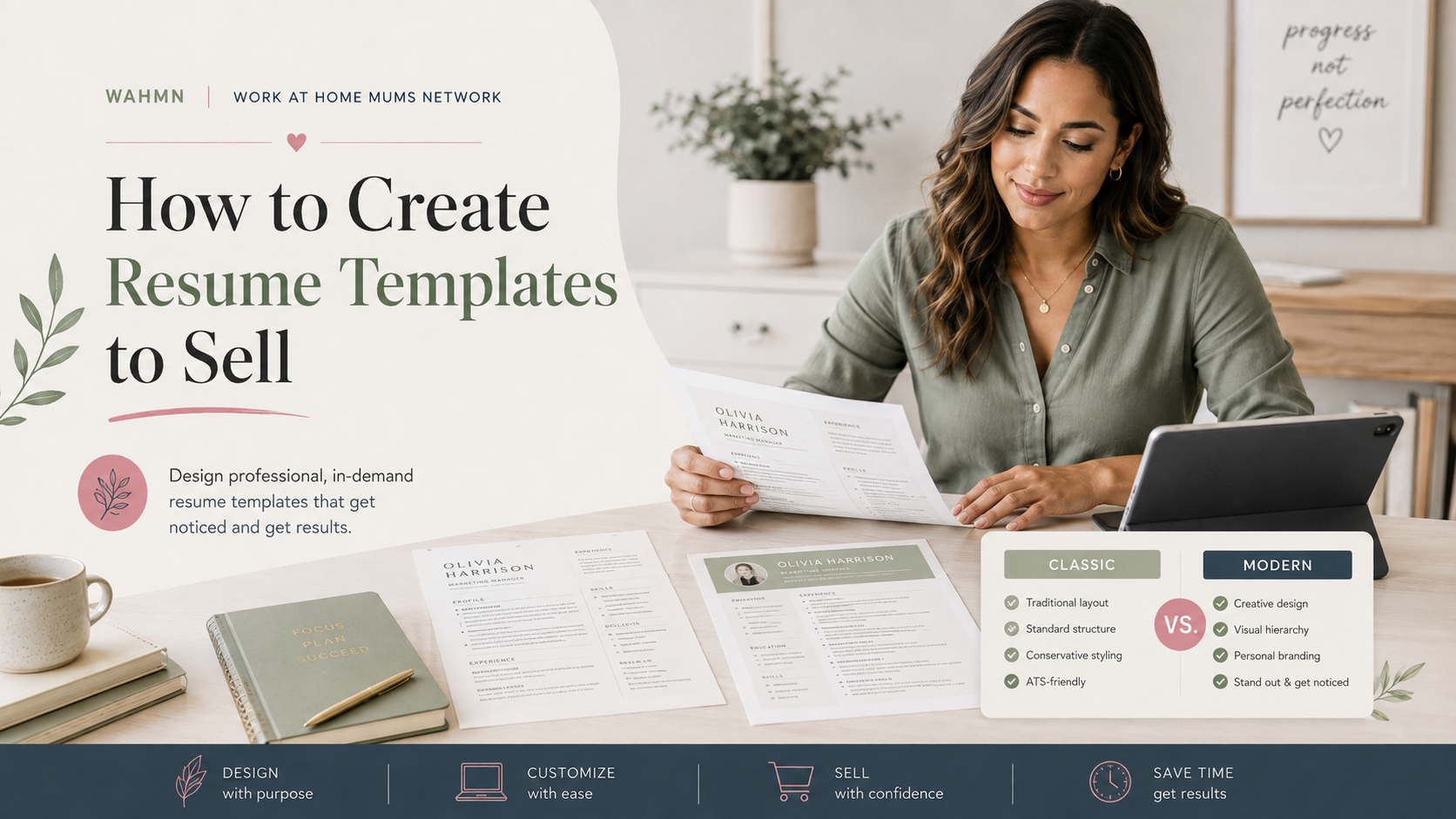
How to Create Resume Templates to Sell
In this article
- Define a Profitable Resume Template Niche
- Plan the Content and Structure Before Designing
- Create a Professional Resume Template Layout
- Design Resume Templates in Formats Buyers Can Edit
- Make the Template Easy to Customize and Use
- How to Create Resume Templates to Sell Online
- Market a Resume Template Business to the Right Buyers
- Test, Improve, and Expand Your Resume Template Catalog
- Conclusion
- FAQ
The digital marketplace offers a lucrative path for creative entrepreneurs and designers. Learning how to create resume templates to sell allows you to turn your design skills into a reliable stream of passive income.
This guide outlines a comprehensive ten-section journey. We will explore everything from deep niche research and content planning to the technical aspects of building editable files. You will also learn effective marketing strategies to reach job seekers across the United States.
Success in this field requires more than just aesthetic appeal. You must prioritize practical usability and provide excellent buyer support to stand out. By focusing on the specific needs of modern applicants, you can build a catalog that truly makes a difference in someone’s career.
Key Takeaways
- Identify profitable niches within the competitive job market.
- Master the technical requirements for user-friendly, editable files.
- Balance professional design aesthetics with functional layout needs.
- Implement effective marketing tactics to attract your target audience.
- Scale your business by expanding your digital product catalog.
- Provide exceptional customer support to build long-term brand trust.
Define a Profitable Resume Template Niche
Success in selling digital products begins by narrowing your focus to a specific group of job seekers. When you target a broad audience, you often struggle to stand out against established sellers. By focusing on a unique segment, you can tailor your work to meet specific professional requirements.
Research Job Seekers and Career-Specific Needs
Different career paths require different layouts and tones. For example, a creative professional needs a visual portfolio style, while an executive requires a clean, text-heavy format that highlights leadership achievements.
- Students: Focus on internships and academic projects.
- Career Changers: Emphasize transferable skills and functional layouts.
- Freelancers: Highlight project lists and client testimonials.
- Executives: Prioritize high-level strategy and measurable results.
Choose Between General, Industry-Specific, and Career-Level Templates
Deciding on your product scope helps you manage your time and marketing efforts. You might choose to create a versatile template that works for many roles, or you could specialize in a high-demand sector like healthcare or tech.
| Template Type | Primary Benefit | Target Audience |
|---|---|---|
| General | Broad appeal | Entry-level seekers |
| Industry-Specific | High relevance | Specialized professionals |
| Career-Level | Premium pricing | Senior management |
Study Competing Products on Etsy, Creative Market, and Other Marketplaces
Before you start designing, spend time analyzing the top-selling items on platforms like Etsy and Creative Market. Look at their pricing structures, the file formats they offer, and the presentation styles they use to attract buyers. This research reveals what customers currently value and where the market might be saturated.
Identify Gaps in Existing Resume Template Offers
Look for common complaints in customer reviews to find opportunities for improvement. Perhaps users are frustrated by templates that are difficult to edit in Microsoft Word or lack clear instructions for Applicant Tracking Systems (ATS). Solving these specific pain points can give your shop a competitive edge.
Balance Trendy Resume Template Design Ideas With Long-Term Usability
It is tempting to follow the latest aesthetic fads, but your products must remain functional for years. Incorporating modern resume template design ideas is essential for visual appeal, yet you should avoid overly complex graphics that break when a user adds their own text. Always prioritize clean typography and logical spacing to ensure your resume template design ideas provide lasting value to your customers. The same layouts sell to business buyers as well, and creating business templates to sell covers that wider market.
Plan the Content and Structure Before Designing
Successful resume creators know that the best resume template layouts start with a strategic plan. Before you open your design software, you must map out the logical flow of your documents. This preparation ensures your final product is both functional and highly marketable to job seekers.
Choose the Resume Sections Buyers Expect
Most recruiters look for specific information in a predictable order. Your templates should include standard sections like contact details, a professional summary, work experience, education, and skills. Including certifications or volunteer work can also add value for specific industries.
Map Information Hierarchy for Fast Employer Scanning
Employers often spend less than ten seconds reviewing a resume. Therefore, the best resume template layouts must prioritize visual hierarchy to guide the reader’s eye. Use clear headings, bullet points, and consistent spacing to make key achievements stand out immediately.
Decide Whether to Include Cover Letters, References, and Thank-You Notes
Providing a complete career toolkit increases the perceived value of your product. Many buyers prefer bundles that include matching cover letters and reference sheets. These additions help users maintain a consistent personal brand across all their job application materials.
Build Versions for Different Career Stages
One size rarely fits all in the job market. You should tailor your structures to meet the unique needs of different experience levels. The following table highlights how to adjust your layouts for maximum impact:
| Career Stage | Primary Focus | Layout Priority |
|---|---|---|
| Entry-Level | Education & Skills | Academic achievements |
| Professional | Work History | Quantifiable results |
| Executive | Leadership Impact | Strategic contributions |
Entry-Level and Student Resume Structures
Students often lack extensive work history, so their templates should emphasize education and internships. Place the education section near the top to highlight relevant coursework or honors. Keep the design clean to allow for future growth as they gain experience.
Experienced Professional and Executive Resume Structures
Experienced professionals require layouts that emphasize career progression and leadership. These best resume template layouts should feature a strong summary and a reverse-chronological work history. Executives, in particular, need space to showcase high-level achievements and organizational impact.
Create a Professional Resume Template Layout
When you start creating marketable resume designs, the layout serves as the foundation for your buyer’s success. A well-structured document guides the recruiter’s eye exactly where it needs to go. By focusing on clean, logical arrangements, you ensure that your templates provide value to both the job seeker and the hiring manager.
Set Page Size, Margins, Columns, and Spacing
Standardize your files to the US Letter size (8.5 x 11 inches) to ensure they print perfectly for domestic recruiters. Use generous margins of at least 0.5 to 1 inch to prevent text from being cut off during printing. Consistent white space is your best friend; it prevents the page from feeling cluttered and allows the content to breathe.
Consider using a two-column layout to maximize space for skills and contact details while keeping the professional experience section prominent. This structure helps users fit more information without sacrificing readability. Always maintain uniform gutters between columns to keep the design looking sharp and intentional.
Design a Clear Header and Contact Information Area
The header should act as a clean anchor for the entire document. Place the candidate’s name in a larger, bold font to ensure it is the first thing a recruiter notices. Keep contact details like phone numbers, email addresses, and LinkedIn profiles grouped together in a single, easy-to-read line or block.
Use Typography That Remains Readable in Print and on Screens
Select professional, sans-serif fonts like Arial, Calibri, or Helvetica for body text to ensure maximum compatibility across different devices. Use a slightly more decorative or bold font for headers to create a clear visual hierarchy. Readability is paramount, so avoid overly stylized scripts that might frustrate a hiring manager during a quick scan.
Choose Color, Icons, Lines, and Accent Elements Carefully
Use color sparingly to highlight section headers or important dividers rather than overwhelming the page. Icons can add a modern touch, but they must remain simple and professional. When you focus on creating marketable resume designs, remember that subtle accents often perform better than loud, distracting graphics.
Keep Decorative Details Compatible With Applicant Tracking Systems
Applicant Tracking Systems (ATS) often struggle to parse complex graphics, text boxes, or images. Keep your decorative lines and icons outside of the main text flow to ensure the software can read the candidate’s data accurately. Simplicity is the ultimate sophistication when it comes to passing through automated filters.
Use Contrast and Consistent Alignment for Accessibility
High contrast between text and background is essential for accessibility and screen reading. Use dark text on a light background to ensure the document remains legible for everyone. Consistent left-alignment for body text creates a natural reading path that keeps the recruiter engaged from start to finish.
| Design Element | Primary Benefit | Best Practice | ATS Impact |
|---|---|---|---|
| White Space | Reduces eye fatigue | Use 1-inch margins | Neutral |
| Typography | Improves readability | Sans-serif fonts | High compatibility |
| Color Palette | Adds visual interest | Limit to 2 colors | Neutral |
| Graphic Icons | Modernizes layout | Use sparingly | Low if embedded |
Design Resume Templates in Formats Buyers Can Edit
Creating a professional resume template for sale requires balancing high-end design with user accessibility. Your choice of software dictates how easily your customers can update their information without breaking your layout.
Choose Between Microsoft Word, Google Docs, Canva, and Adobe InDesign
Each platform offers unique benefits for both the creator and the end user. While Adobe InDesign provides the most creative freedom, Microsoft Word and Google Docs remain the industry standards for hiring managers and Applicant Tracking Systems (ATS).
| Platform | User Familiarity | Layout Control | Best For |
|---|---|---|---|
| Microsoft Word | High | Moderate | Corporate Roles |
| Google Docs | Very High | Low | Quick Editing |
| Canva | High | High | Creative Fields |
| Adobe InDesign | Low | Maximum | Professional Designers |
Set Up Editable Text Boxes, Styles, and Master Elements
To ensure your professional resume template for sale remains functional, use consistent styles. Define paragraph styles for headers, body text, and bullet points to keep the document organized. Using master elements allows users to update contact information across multiple pages simultaneously.
Prepare Clean Placeholder Content Without Confusing Buyers
Use clear, bracketed placeholders like [Insert Job Title Here] to guide your users. Avoid using complex jargon or filler text that might distract from the layout. Keep the structure intuitive so that even a novice user can navigate the document with confidence.
Create Matching Files for the Resume and Cover Letter
Consistency is key to a strong personal brand. Always provide a matching cover letter and reference page that mirrors the design language of the resume. This creates a cohesive package that looks polished when submitted to recruiters.
“Design is not just what it looks like and feels like. Design is how it works.”
Check Font Licensing and Commercial-Use Permissions
Before finalizing your files, verify that all fonts are cleared for commercial use. Many free fonts are restricted to personal projects only. Always purchase a commercial license or use open-source fonts to protect your business from legal issues.
Export Print-Ready and Screen-Friendly PDF Previews
Provide your customers with a clear visual guide of the final product. Export high-resolution PDFs that show exactly how the professional resume template for sale should look when printed or viewed on a screen. This helps buyers visualize the final result before they begin the editing process.
Make the Template Easy to Customize and Use
Providing a seamless editing experience is essential for anyone looking to customize resume template for profit. When your files are intuitive, customers feel confident and satisfied with their purchase. A well-structured layout ensures that even non-designers can produce a polished, professional document without frustration.
Write Clear Instructions for Editing Text, Colors, and Sections
Include a dedicated PDF guide or a “Read Me” file within your download package. Explain exactly how to swap out fonts, adjust color palettes, and rearrange layout blocks. Clarity is your best tool for reducing customer support inquiries and building a positive reputation.
Make Customization Safe for Buyers With Different Work Histories
Every job seeker has a unique background, so your design must be flexible. To customize resume template for profit effectively, you should build modular sections that users can easily duplicate or delete. This allows someone with twenty years of experience to fit their history just as easily as a recent graduate.
Prevent Formatting Problems When Buyers Add or Remove Content
Use locked elements or master pages to keep the core design stable. When users add new bullet points or extra job entries, the surrounding layout should shift automatically without breaking the visual flow. Consistency is key to maintaining a high-quality look across all pages.
Include Practical Guidance for Applicant Tracking System Compatibility
Many recruiters use software to scan resumes for specific keywords. Advise your buyers to avoid complex graphics or text boxes that might confuse these systems. Simple, clean layouts often perform best in automated hiring environments.
Test Long Job Titles, Multiple Employers, and Career Gaps
Before you list your product, stress-test the layout with extreme scenarios. Try inserting very long job titles or a high number of past employers to see if the design holds up. Robust testing ensures that your template remains functional for every type of user.
Explain How to Replace Sample Content Without Leaving Errors
Provide clear steps on how to overwrite placeholder text without leaving behind stray formatting or hidden characters. When you teach users how to customize resume template for profit without leaving errors, you empower them to succeed. A clean, error-free document is the ultimate goal for every job seeker.
How to Create Resume Templates to Sell Online
Mastering the art of product presentation is essential when you decide how to create resume templates to sell. Your goal is to provide a seamless experience that helps job seekers land their dream roles without technical frustration.
Package the Editable Files, PDFs, Fonts, and Instructions
A professional digital package should be organized and easy to navigate. Include the primary editable files, such as .docx or .indd formats, alongside a PDF version for reference.
Always provide a clear instruction guide in PDF format. This document should cover:
- How to install required fonts.
- Step-by-step editing tips for text and colors.
- Guidance on saving the final file for job applications.
Write a Product Description That Explains the Buyer’s Outcome
Avoid simply listing technical features. Instead, focus on the practical outcome your customer achieves by using your template.
Explain how the layout helps them highlight their unique skills and experience. Use persuasive language to show how your design saves them time and increases their confidence during the job hunt.
Produce Preview Images That Show the Template in Use
Your preview images act as the storefront window for your business. High-quality mockups help potential buyers visualize their own information inside your design.
Use clean, professional photography or digital mockups to display the template on various devices. Show close-ups of specific sections to highlight the readability and aesthetic appeal of your typography.
Set Pricing Based on Features, File Formats, and Buyer Support
When selling resume templates online, your pricing strategy should reflect the value provided to the user. Consider the following factors when determining your rates:
| Tier | Included Features | Support Level |
|---|---|---|
| Basic | Single Resume Template | Standard PDF Guide |
| Premium | Resume + Cover Letter | Email Support |
| Bundle | Full Career Kit | Priority Assistance |
Offer Basic, Premium, and Bundle Options
Tiered pricing allows you to capture different segments of the market. A basic template serves budget-conscious users, while bundles provide high value for those needing a complete career toolkit.
State Digital-Product Policies, License Terms, and Support Limits
Transparency builds trust with your customers. Clearly state your refund policy, as digital products are often non-refundable once downloaded.
Define the scope of your support clearly. Let buyers know if you offer technical help with software or if your support is limited to file access issues.
Market a Resume Template Business to the Right Buyers
You can turn your design skills into a thriving business by mastering the art of marketing resume template products. Success depends on placing your work in front of job seekers who are actively looking for a competitive edge.
Optimize Product Titles and Descriptions With Search Terms
Search engine optimization is the foundation of your visibility on platforms like Etsy or Creative Market. Use specific keywords that describe your layout, such as “minimalist,” “ATS-friendly,” or “modern professional.”
Write detailed descriptions that explain how your template solves a specific problem. Clear communication helps buyers understand the value of your product immediately.
Use Pinterest, Instagram, TikTok, and Email Marketing Strategically
Visual platforms are essential for showcasing your designs. Pinterest acts as a search engine, while TikTok and Instagram allow you to show the editing process in real-time.
Build an email list to nurture potential customers. Send them helpful career tips and exclusive discounts to keep your brand top-of-mind during their job search.
Create Content Around Job Searches, Career Changes, and Resume Improvement
Position yourself as an expert by sharing valuable advice. Write blog posts or social media captions about common resume mistakes and how to fix them.
This content attracts people who are currently struggling with their applications. When they see your expertise, they are more likely to trust your marketing resume template designs.
Demonstrate the Template With Before-and-After Examples
Visual proof is the most powerful tool in your arsenal. Show a cluttered, outdated resume next to your clean, professional template to highlight the transformation.
This comparison provides tangible evidence that your product improves a candidate’s chances of getting an interview.
Reach Students, Career Changers, Freelancers, and Experienced Professionals
Different groups have unique needs. Students often look for simple, one-page layouts, while experienced professionals require space for complex work histories.
Tailor your messaging to address these specific pain points. Use the following table to align your outreach efforts with your target audience:
| Audience Segment | Primary Need | Best Marketing Channel |
|---|---|---|
| Students | Ease of use | TikTok |
| Career Changers | Skill highlighting | |
| Freelancers | Portfolio integration | |
| Experienced Pros | ATS compatibility | Email Marketing |
Build Trust With Reviews, Samples, and Consistent Branding
Trust is the currency of digital sales. Encourage happy customers to leave reviews and display them prominently on your shop page.
Maintain consistent branding across all channels to look professional and reliable. Offering a small free sample can also lower the barrier to entry for hesitant buyers.
Test, Improve, and Expand Your Resume Template Catalog
Your resume template business thrives when you actively listen to your customers and adapt to change. Launching a product is only the first step toward building a sustainable brand. By staying proactive, you ensure your designs remain relevant in a competitive market.
Conduct Usability Tests With Realistic Resume Content
Before you finalize any design, test it with actual data. Use long job titles, complex bullet points, and varying contact information to see how the layout holds up. Real-world testing reveals hidden flaws that simple placeholder text often masks.
- Check if text boxes overflow when content is dense.
- Verify that alignment remains consistent across different pages.
- Ensure that icons and graphics do not distract from the core information.
Review Customer Questions, Refunds, and Download Issues
Your customers provide the best roadmap for future improvements. Pay close attention to recurring questions in your inbox, as these often highlight areas where your instructions might be unclear. Tracking refund patterns helps you identify if a specific file format or design choice is causing frustration.
If users struggle with downloads, consider simplifying your file structure. Clear communication and easy access to files reduce friction and build long-term trust with your buyers.
Update Templates for Design Trends, Software Changes, and Hiring Practices
The digital landscape shifts quickly, and your products must evolve alongside it. Keep an eye on modern design trends to ensure your aesthetic stays fresh. Furthermore, update your files whenever software like Microsoft Word or Canva releases major feature changes.
Hiring practices also change, with more companies using advanced Applicant Tracking Systems (ATS). Regularly audit your templates to ensure they remain technically compatible with these automated screening tools.
Turn Strong Sellers Into Coordinated Product Collections
When a specific design performs well, use it as a foundation for a larger collection. Expanding your catalog allows you to capture a wider audience without starting from scratch.
Adapt One Design Into Multiple Industries and Career Levels
You can easily modify a successful layout to suit different professional needs. For example, create a sleek, minimalist version for corporate executives and a more creative, colorful version for marketing professionals. This strategy maximizes your reach while maintaining a consistent brand identity.
Use Customer Feedback to Guide New Template Features
Listen to what your users request most often to inform your next project. These resume template business tips suggest that adding features like matching cover letters or specialized reference pages can significantly increase your product value. Use this direct feedback to build exactly what your audience needs to succeed in their job search.
Conclusion
Mastering how to create resume templates to sell requires a blend of creative design and strategic business planning. You must combine deep niche research with employer-friendly content structures to stand out in competitive marketplaces like Etsy or Creative Market.
Professional design is only the starting point for your success. True value comes from providing editable formats, clear instructions, and reliable customer support. Buyers look for products that solve their specific career challenges while remaining easy to customize.
Your long-term growth depends on how you package, price, and market your work. Consistent testing and updates ensure your catalog stays relevant as hiring trends shift. This process turns a single design into a sustainable income stream.
Start your journey by focusing on one specific audience and one high-quality template. Refine your files based on user feedback to build trust with your customers. Once you master how to create resume templates to sell, you can expand your offerings into coordinated collections that help job seekers land their dream roles.
FAQ
What is the first step in learning how to create resume templates to sell?
Where can I find fresh resume template design ideas that stand out?
How do I choose the best resume template layouts for different career stages?
Which software should I use for selling resume templates online?
How can I help buyers customize resume template for profit and ease of use?
What are the most effective marketing resume template strategies?
Do you have any resume template business tips for scaling a new shop?
How do I ensure my designs are compatible with Applicant Tracking Systems (ATS)?
Keep reading on WAHMN
More articles in this category, browse the full article library, or explore our business tools and learning paths.
Template shops rise and fall on being found rather than on design.